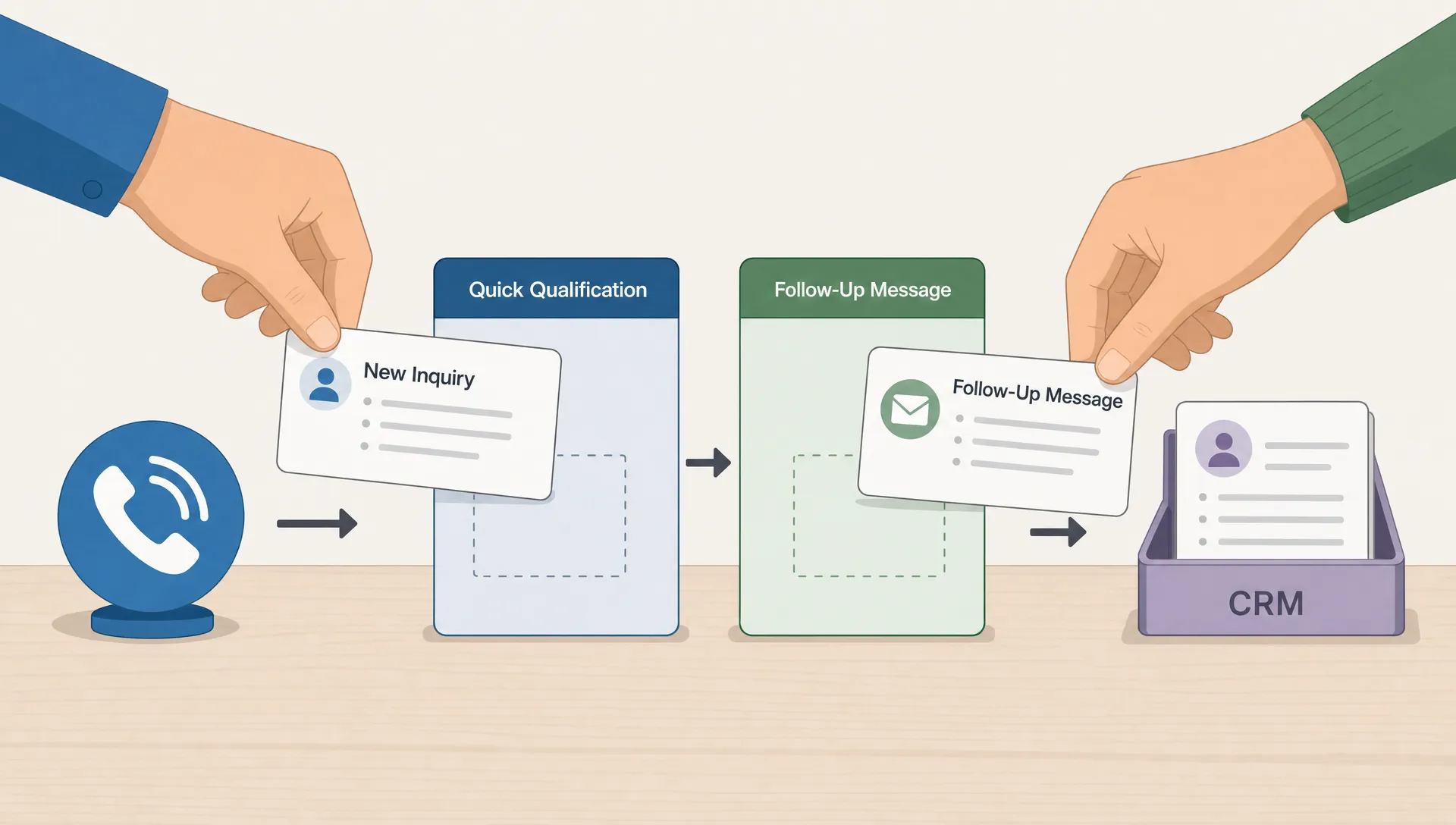

AI automation helps small businesses generate more leads by removing the delays, missed messages and manual follow-up that usually happen after someone shows interest. For many local service providers, clinics, studios, trades and small B2B teams, the problem is not always traffic. It is that the business is too busy to respond quickly, qualify every inquiry and keep a clean record of who needs what next.
The practical goal is simple: use AI to make sure every potential customer gets captured, answered, routed and followed up with while the human team focuses on the conversations that actually require judgment.
Why Lead Generation Breaks Down in Small Businesses
Small businesses often lose leads in ordinary moments. A customer calls while the owner is on a job. A website form lands in an inbox no one checks until evening. A Facebook message gets buried under notifications. A quote request is answered two days later, after the buyer has already booked someone else.
Speed matters. A well-known Harvard Business Review analysis of online sales leads found that companies contacting prospects within an hour were nearly seven times more likely to qualify the lead than companies waiting just one more hour. For a small business, that does not mean hiring a full sales team. It means building a response system that works even when the owner, receptionist or sales rep is unavailable.
AI automation is useful because it closes these operational gaps. It does not make your offer better by itself and it will not fix poor positioning. It helps when there is already some demand, but the business needs a more reliable way to convert inquiries into conversations.
What AI Automation Means for Lead Generation
AI automation is the use of AI tools and workflow software to handle repetitive lead generation tasks without requiring a person to manually complete every step. In practice, that can include answering common questions, collecting contact details, qualifying a prospect, sending a follow-up message, booking an appointment and logging the interaction in a CRM or spreadsheet.
The important word is workflow. A chatbot alone is not a lead generation system. A form alone is not a lead generation system. The value comes from connecting the touchpoints so a lead moves from first contact to next action with fewer gaps.
For example, a home services company might connect website forms, phone calls and text reminders. A clinic might use AI to route inquiries while keeping protected health information out of unsafe tools. A local gym might use an AI assistant to answer membership questions, then send qualified prospects to a trial class booking page.
Good AI automation for lead generation should feel less like a gimmick and more like a disciplined front desk that never forgets the next step.
Practical Ways AI Automation Helps Small Businesses Generate More Leads
The strongest use cases usually start close to the point of inquiry. If a customer is already calling, filling out a form or asking a question, AI automation helps small businesses generate more leads by reducing friction at the exact moment interest is highest.
Capture Leads When No One Can Answer
Missed calls are one of the biggest leaks for small businesses. A caller who needs a plumber, landscaper, tutor or med spa appointment may not leave a voicemail. They may simply call the next option on Google.
An automated phone workflow can answer after hours, ask for the caller’s name, understand the reason for the call and create a callback task. For appointment-based businesses, AI can also help collect the basic information needed before a human confirms the booking. If phone leads are a major source of revenue, this guide on automated phone answering for small businesses explains what to expect from that kind of system.
The same idea applies to forms and website chat. Instead of collecting a name and email with no context, AI can ask a few focused questions and send the lead to the right next step.
Qualify Prospects Without Slowing Them Down
Not every inquiry has the same value. Some people are ready to buy. Some are researching. Some are outside your service area or need something you do not offer.
AI automation can qualify leads by asking practical questions such as location, budget range, desired timeline, service type and urgency. The point is not to interrogate the customer. It is to give your team enough context to prioritize the right conversations.
A simple lead qualification flow can separate urgent, high-intent inquiries from low-fit requests. That gives a small team more time for serious prospects and less time chasing dead ends.
Follow Up Before Interest Goes Cold
Follow-up is where many small businesses underperform because it feels small in the moment. One missed email does not feel like a crisis, but dozens of slow follow-ups create a real revenue leak.
AI automation can send a quick confirmation message after a form submission, remind a prospect about an upcoming consultation, answer common pre-sale questions and notify the owner if a lead has not received a human response. It can also summarize the conversation so the business does not ask the same questions twice.
The best follow-up workflows still sound human. They are short, specific and helpful. The automation should support the relationship, not flood the prospect with generic sequences.
| Lead leak | What AI automation can do | Good fit for |
|---|---|---|
| Missed calls | Answer, capture details and create a callback task | Trades, clinics, salons, field services |
| Slow form responses | Send instant confirmation and route the inquiry | Local services, B2B consultants, agencies |
| Unqualified inquiries | Ask service, budget, location and timeline questions | Any business with limited sales capacity |
| Forgotten follow-up | Trigger reminders, SMS updates or email check-ins | Appointment-based and quote-based businesses |
| Scattered records | Log notes into a CRM, spreadsheet or admin system | Small teams without a dedicated sales admin |
Where AI Fits in a Small Business Lead Funnel
A lead funnel does not have to be complicated. For most small businesses, it has four stages: attract attention, capture the inquiry, qualify the prospect and convert them into a booked call, quote request, visit or purchase.
AI automation is most useful in the middle two stages. It is not a replacement for reputation, referrals, SEO, paid ads or strong local visibility. It improves what happens after interest appears.
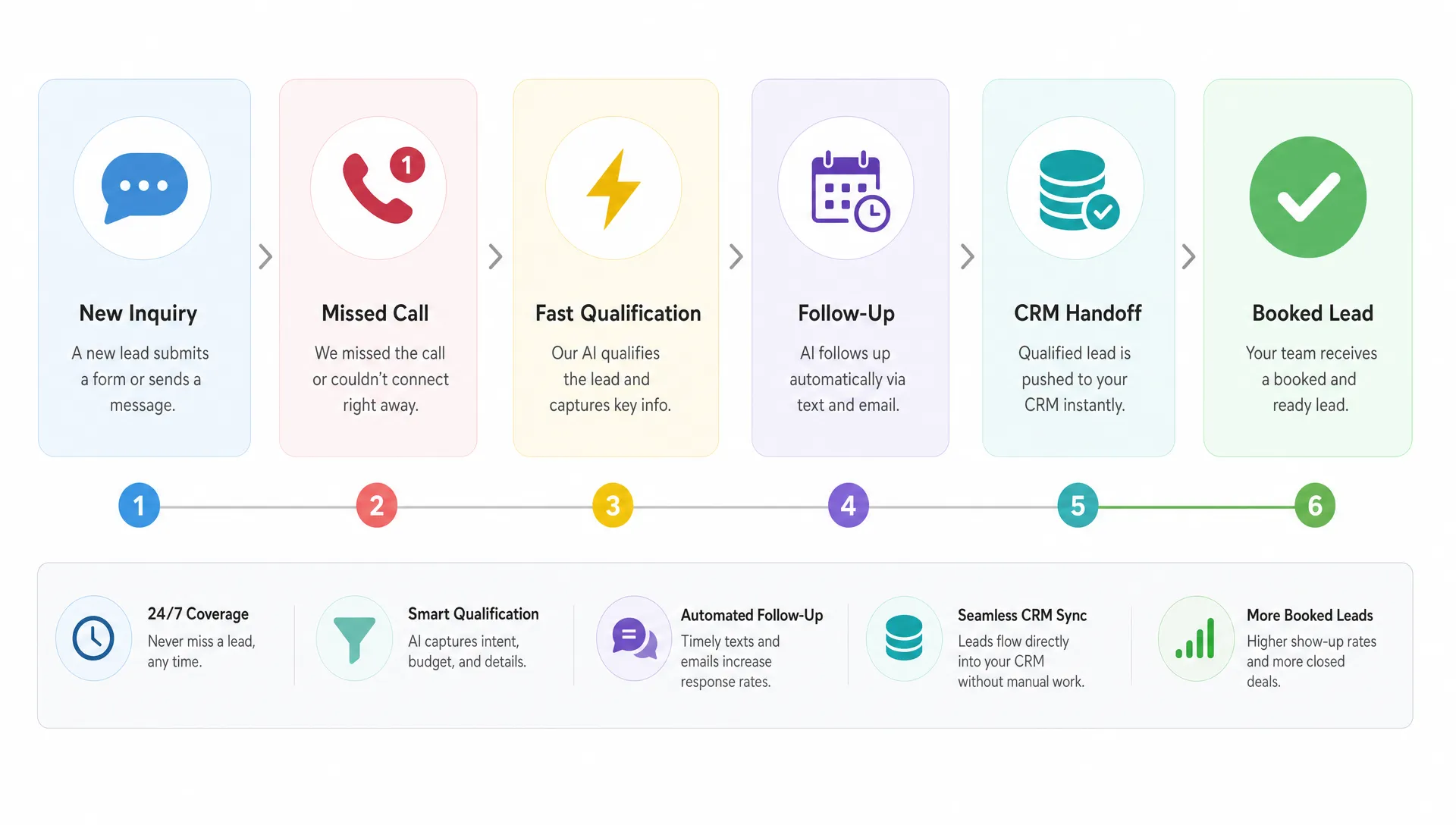
This distinction matters because it keeps expectations realistic. If a business has no traffic, no offer clarity and no trust signals, automation will not magically create demand. If the business already gets calls, messages and web visits, automation can help convert more of that existing demand.
For many owners, the quickest win is to automate one conversion path instead of trying to automate the entire business. Start with the channel that already produces leads, then improve the response time and handoff.
High-Impact AI Automation Use Cases by Business Type
Different small businesses need different lead workflows. A roofing company does not qualify leads the same way as a healthcare clinic or an online coaching business. The common thread is that the automation should match how customers already prefer to contact you.
| Business type | Useful lead automation | Main benefit |
|---|---|---|
| Field service and trades | Missed call capture, quote request intake, job type routing | Fewer lost calls and faster callbacks |
| Healthcare and wellness | Appointment inquiry routing, eligibility questions, reminder messages | Better front-desk efficiency with stricter data controls |
| Local retail or studios | Class booking, product inquiries, membership FAQs | More inquiries converted into visits or bookings |
| B2B services | Lead scoring, consultation scheduling, proposal follow-up | Better prioritization for a small sales team |
| Real estate and property services | Inquiry capture, listing questions, viewing reminders | Faster response to time-sensitive prospects |
Healthcare businesses need special care. If your workflow may involve protected health information, do not paste sensitive details into random AI tools. In the US, review the HHS HIPAA Security Rule guidance, use vendors willing to sign a Business Associate Agreement when required and keep human oversight around anything clinical. For businesses serving customers in the EU or UK, GDPR rules around consent, data minimization and retention also matter.
How to Build Your First AI Lead Automation Workflow
The safest way to start is not a giant system. It is one specific workflow tied to one business outcome. For example, reduce missed call losses, respond to website leads in under one minute or make sure every quote request receives a follow-up within 24 hours.
Start With One Lead Source
Pick the lead source that already has volume. This may be phone calls, website forms, Google Business Profile messages, Instagram DMs or referrals entered manually by staff. If you automate a channel that rarely produces leads, the return will be hard to see.
Then document what happens today. Who sees the message? How long does it take to respond? What information is missing? Where are notes stored? This simple map shows where AI automation can make the workflow faster or more consistent.
Connect the Tools You Already Use
Most small businesses do not need a complicated custom platform on day one. A useful workflow might connect a form builder, email inbox, calendar, CRM, spreadsheet and SMS tool. The AI layer can classify the inquiry, draft a response, summarize the conversation or choose the next step.
Custom software becomes more valuable when the workflow is tied to operations, such as job dispatching, inventory, staff scheduling or customer records. If your lead process is part of a larger operational problem, a mobile app may eventually help centralize the work. This guide on how a mobile app simplifies small business operations covers that broader angle.
Keep Humans in the Right Places
AI should not approve every quote, handle every complaint or make sensitive decisions without oversight. For many businesses, the right model is AI-assisted, not fully autonomous.
Let automation handle intake, reminders, summaries and routing. Let humans handle pricing exceptions, complex objections, relationship building and final approvals. This balance gives you speed without losing the trust that small businesses often rely on.
What to Measure After Launch
AI automation should be judged by business outcomes, not by how impressive the tool looks. Before launching, write down the baseline numbers you already have, even if they are rough.
Track metrics such as response time, missed calls, form completion rate, booked consultations, qualified leads, show-up rate and revenue from leads that came through the automated flow. If you cannot measure revenue yet, start with the conversion from inquiry to booked conversation.
Review quality as well as quantity. Are leads better informed before the call? Are staff spending less time asking repetitive questions? Are prospects receiving clearer next steps? The best systems improve both the customer experience and the team’s workload.
A simple monthly review is usually enough at the start. Look at what the automation captured, where people dropped off and which responses needed manual correction. Then adjust the workflow instead of constantly adding new tools.
Common Mistakes to Avoid
AI automation can create more confusion if it is added without a clear plan. The first mistake is automating a broken process without simplifying it. If your intake form asks too many questions or your offer is unclear, AI may only make the bad experience faster.
The second mistake is using generic responses that do not match the business. A local contractor, legal office, wellness clinic and SaaS startup should not sound the same. Templates are useful, but the tone and questions should reflect the actual service.
The third mistake is ignoring compliance and customer trust. Make it clear when customers are interacting with an automated system, protect sensitive information and avoid collecting data you do not need.
The fourth mistake is trying to automate every channel at once. A focused workflow that works reliably is better than five half-connected automations that no one trusts.
If you are unsure which process to automate first, an AI audit for startups and small businesses can help map your current workflow, rank opportunities and identify the highest-impact starting point.
Need Help Choosing the Right Lead Automation?
The best first automation is usually the one closest to lost revenue. If your business misses calls, start there. If form leads go cold, fix response time. If your team wastes hours sorting low-fit inquiries, build a qualification workflow.
If you want expert help planning or building your first AI workflow, I work with startups and small businesses on practical automation, mobile apps and MVP development. You can book a consultation call or use this guide on hiring a remote AI developer for your first automation to prepare your scope before you build.