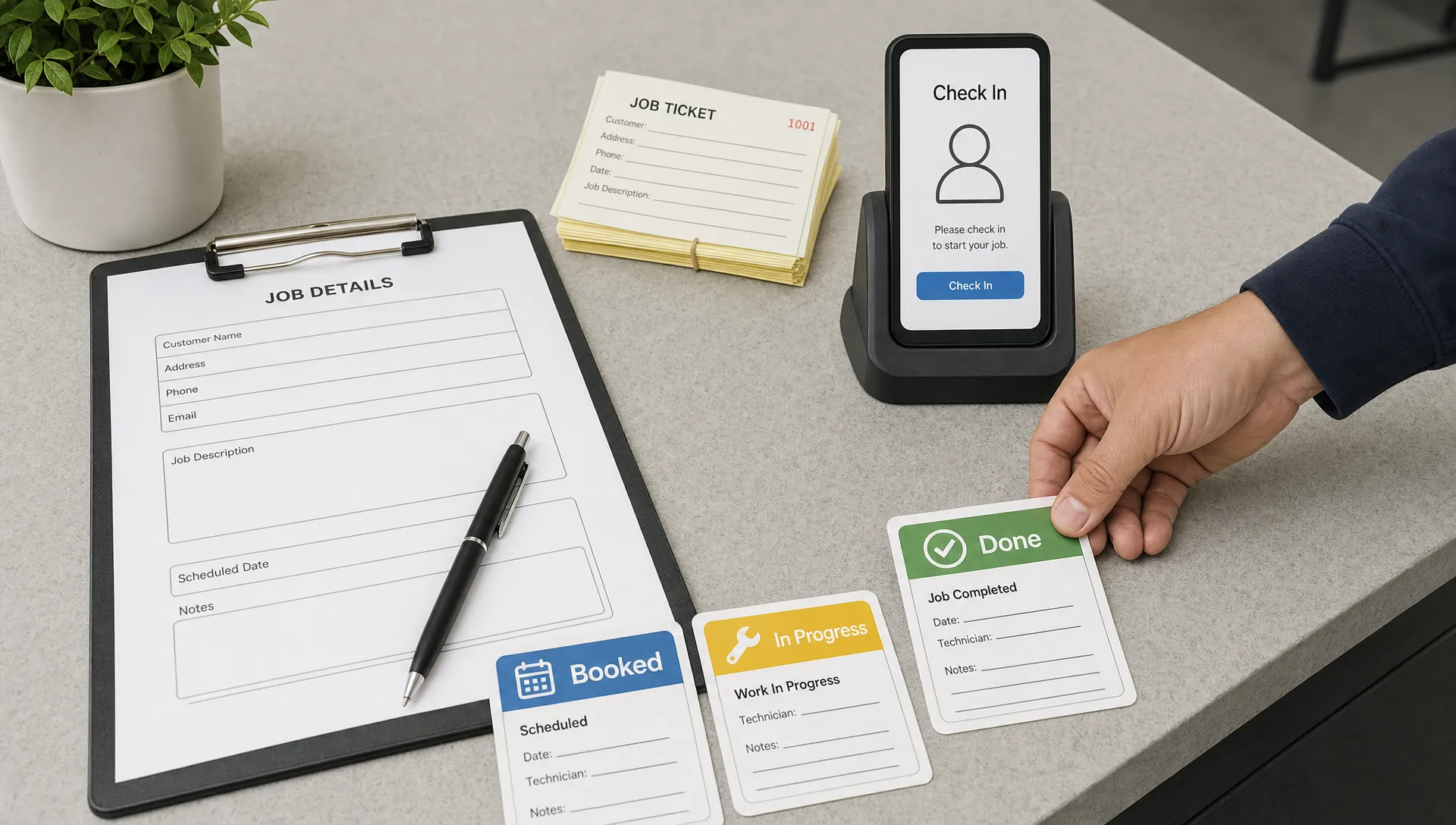

Small business operations usually get harder before they get better. A process that worked with paper forms, text messages and a shared spreadsheet can start to crack once there are more customers, more jobs, more staff members and more things to remember.
A well planned mobile app simplifies small business operations by putting the most important daily workflows in one place. It does not have to be a huge software platform. For many local businesses, the most useful app is focused: book the job, collect the details, update the status, notify the customer and give the owner a clear view of what happened.
That is especially valuable when work happens away from a desk. Field service teams, clinics, coaches, local retailers and home service businesses all deal with the same operational problem: information is created in the real world, then gets lost before it reaches the system. A mobile app closes that gap.
Why small business operations get messy
Most small businesses do not start with bad systems. They start with simple systems. A notebook, a phone calendar, a spreadsheet and a few message threads are often enough in the early days.
The problem is that each tool holds only part of the truth. A customer asks for a quote by phone. A staff member confirms the booking by text. The job notes sit on paper. The invoice is created later from memory. Inventory is updated at the end of the week, if anyone remembers. None of these steps is terrible by itself, but together they create delays, duplicate work and avoidable mistakes.
Mobile usage also changes customer expectations. Pew Research Center reports that 91 percent of U.S. adults own a smartphone, which means customers and staff are already comfortable handling tasks from their phones. If your business still depends on someone being at a desk to move work forward, the operation will feel slower than the people using it.
A mobile app helps because it meets the work where it happens. The technician can update a job from the driveway. The receptionist can see the latest intake form before a patient arrives. The owner can check today’s completed work without calling three people.
What an operations mobile app actually does
When people hear mobile app, they often imagine a public app in the App Store for customers. That can be useful, but an operations app is often different. It may be used by staff, managers, customers or all three groups, depending on the workflow.
At its core, an operations app captures information, guides people through repeatable tasks and keeps records organized. Instead of relying on memory or manual handoffs, the app becomes the shared place where work is started, updated and completed.
| Operational task | Common manual process | How a mobile app simplifies it |
|---|---|---|
| Booking and scheduling | Phone calls, calendar notes and text confirmations | Customers or staff can submit structured requests and view current status |
| Field job updates | Paper forms and after-the-fact data entry | Staff can update job status, add notes and capture photos on site |
| Inventory checks | End-of-day counts or spreadsheet edits | Staff can record usage as items are sold, installed or consumed |
| Customer communication | Repeated calls asking for updates | The app can show progress, reminders or next steps in one place |
| Payments and invoices | Manual follow ups and delayed billing | The workflow can prompt staff to collect required billing details before closing a job |
| Owner reporting | Calling staff or reviewing scattered files | The owner can see current activity based on live operational data |
The best version is not the one with the most features. It is the one that removes the most friction from the highest value workflow.
Practical ways a mobile app simplifies daily work
It captures information at the source
Operations slow down when information has to be rewritten. A field worker fills out a paper form, then someone at the office types it into a spreadsheet. A customer gives details on the phone, then repeats them later because the original notes were incomplete.
A mobile app can capture those details once, at the moment they are created. For a plumbing business, that might mean job photos, parts used, arrival time and customer signoff. For a wellness clinic, it might mean intake forms, appointment notes and follow-up instructions. For a training business, it might mean attendance, progress tracking and session notes.
This reduces admin work, but the bigger benefit is accuracy. The person closest to the work records the details while they are still fresh.
It turns repeat work into standard workflows
Small teams often carry processes in their heads. That works until someone is sick, a new employee starts or the business gets busy.
A mobile app can turn a repeat task into a guided workflow. Instead of remembering every step, staff follow the same sequence each time: collect the required fields, confirm the checklist, attach supporting information and mark the task complete. This is useful for inspections, maintenance visits, onboarding, order fulfillment and patient or client intake.
Standard workflows also make training easier. A new employee does not need to learn every edge case on day one. The app can guide the normal process, while the owner improves it over time based on real usage.
It reduces calls and manual follow ups
A lot of small business admin is not complex. It is repetitive. Has the customer confirmed? Did the technician arrive? Was the estimate sent? Has the invoice been paid? Is the order ready?
A mobile app can make these status changes visible without requiring another call or message. Customers can see where they are in the process. Staff can see what still needs action. Owners can spot delays earlier.
Clean operational data also makes automation more useful. AI follow ups, routing rules and lead handling systems are only as reliable as the information they receive. If the app captures structured details from the start, automation has something clear to work with.
It gives the owner a clearer operational view
Many small business owners are forced to manage through interruptions. They ask staff for updates, check multiple chats and rebuild the day from scattered information.
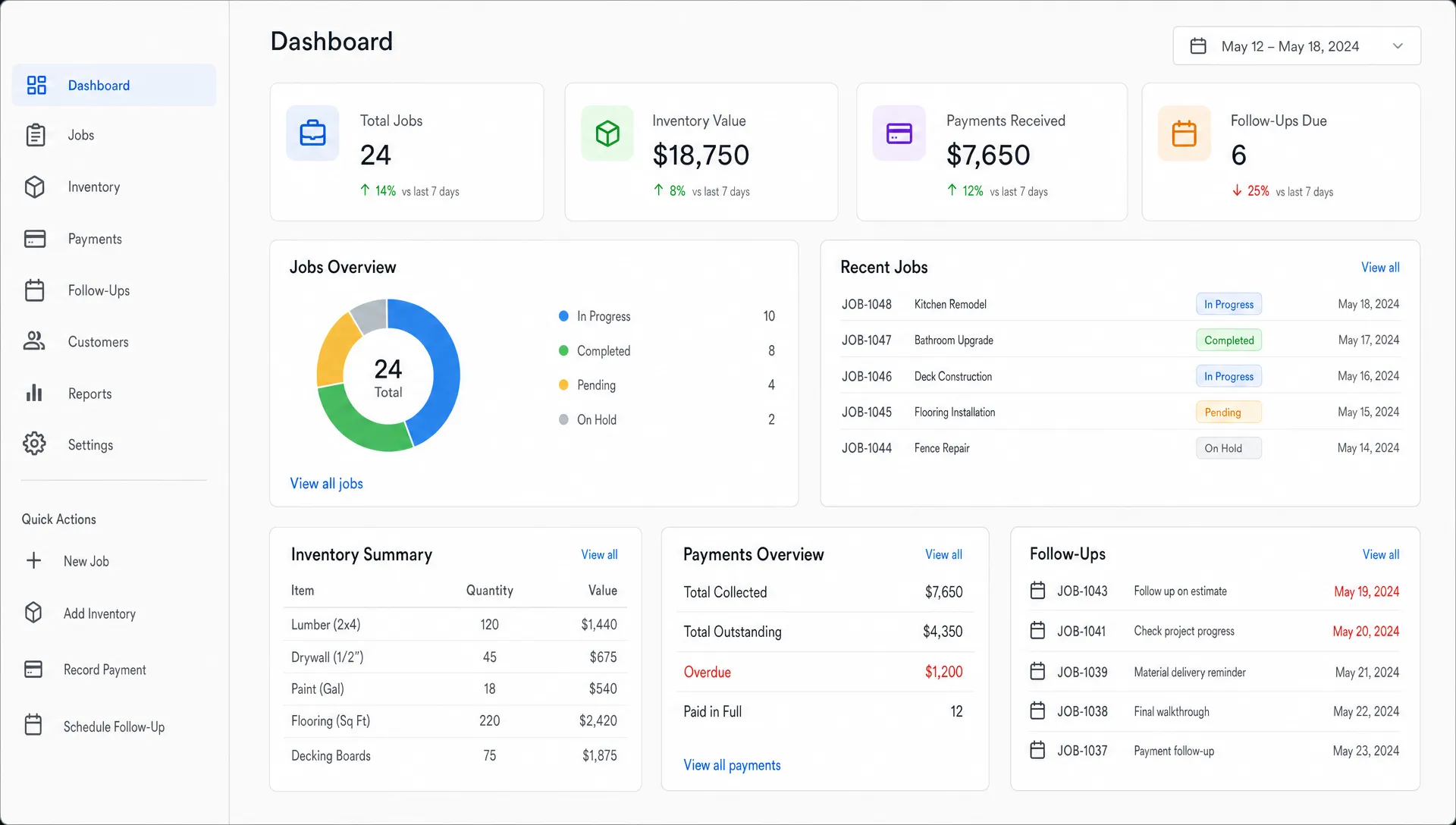
An operations app can reduce that dependency. When jobs, bookings or requests move through defined statuses, the owner gets a clearer picture of what is open, what is blocked and what has been completed. This does not need to be complicated. Even simple status visibility can help with staffing, customer expectations and cash flow.
It makes lead generation easier to act on
Lead generation is only useful if the business follows up quickly and consistently. A mobile app can help by turning new inquiries into trackable records instead of loose messages.
For example, a home service business might receive leads from a website form, phone call or local ad. If each lead is recorded with service type, location, urgency and contact details, the team can prioritize the right opportunities. The app can also make it clear whether a lead is new, contacted, quoted, scheduled or closed.
This matters because many small businesses do not lose leads from lack of demand. They lose them because the follow-up process is too manual.
It helps reduce mistakes in inventory and supplies
Inventory problems often start small. A part is used on a job but not recorded. A product is sold in store and the spreadsheet is updated later. A staff member assumes there are supplies in the back because the last count said so.
A mobile workflow can let staff record usage in the moment. It can also make it easier to flag low stock, attach items to specific jobs and understand which supplies are being used most often. For businesses with field teams, this can reduce wasted trips and last-minute supply runs.
It supports compliance when the business is regulated
Healthcare, wellness and client service businesses need to be careful with personal information. If your app stores patient data, health details, payment records or sensitive customer information, security and compliance should be part of the plan from the beginning.
For U.S. healthcare workflows, HHS explains that the HIPAA Security Rule requires administrative, physical and technical safeguards for electronic protected health information. For businesses serving people in the EU or UK, GDPR requirements may also affect consent, data access, retention and deletion.
A mobile app does not become HIPAA compliant or GDPR compliant simply because it has a login screen. Compliance depends on how the whole system is designed, hosted, accessed and maintained. If your business handles regulated data, discuss requirements before development starts.
Custom mobile app vs off-the-shelf software
Not every small business needs a custom app. Many businesses should start with existing tools if their workflow is simple and standard. A booking platform, CRM, invoicing app or inventory tool may solve the problem quickly.
A custom mobile app becomes more relevant when the operation has a workflow that generic tools do not handle well. This is common in field service, healthcare operations, niche training businesses, logistics, local marketplaces and businesses with a mix of staff and customer workflows.
| Off-the-shelf software may be enough when | A custom mobile app may fit better when |
|---|---|
| Your process closely matches common templates | Your workflow is unique to how your team works |
| You only need one function, such as scheduling | You need scheduling, job notes, customer updates and reporting connected |
| Your staff already uses the tool consistently | Staff avoid the tool because it does not fit the real workflow |
| You can adapt your process to the software | The software forces too many workarounds |
| Compliance needs are basic and already covered | Data access, auditability or privacy requirements shape the workflow |
The decision should be based on operational fit, not just preference. If a generic tool solves 80 percent of the problem and your team will actually use it, start there. If the remaining 20 percent is where the business loses time, money or customers, a custom mobile app may be worth considering.
Start with an MVP, not a giant operations platform
The safest way to build an operations app is to start small. A first version should not try to replace every tool in the business. It should focus on one painful workflow and prove that the app makes it easier.
For many small businesses, the right MVP starts with a narrow question: what daily process causes the most delays, missed revenue or customer frustration? Once that is clear, the app can be scoped around a small set of must-have actions.
A practical first version often defines:
- One primary user group, such as technicians, customers or front desk staff
- One core workflow, such as booking, job completion, intake or lead follow up
- The minimum required fields to complete that workflow reliably
- One success metric, such as faster response time or fewer missed updates
- A feedback plan after real users try the app
If you are not sure how to narrow the first version, this guide on how to scope an MVP app in 6 simple steps breaks the process down in a founder-friendly way.
For businesses that need both iPhone and Android support, cross-platform development can also reduce duplicate work. A framework like Flutter can be a strong fit when the goal is to ship a polished app for both platforms from one codebase, and this article explains when a Flutter mobile app is the right choice in more detail.
Examples of mobile app workflows by business type
The most useful app idea usually comes from the daily bottleneck, not from copying what larger companies have built. A small business app should fit the way the team already works, then improve the parts that create friction.
| Business type | Workflow a mobile app can simplify | Why it helps |
|---|---|---|
| Trades and field service | Job assignment, site notes, photos, signatures and completion status | Reduces office admin and gives owners clearer job visibility |
| Healthcare and wellness clinics | Intake forms, appointment preparation and follow-up instructions | Cuts repeated data entry and supports a more consistent client experience |
| Local retail or rental businesses | Stock checks, reservations, order pickup and staff task lists | Keeps inventory and customer requests easier to track |
| Coaching, fitness or education businesses | Progress tracking, reminders, content access and session notes | Helps clients stay engaged between appointments |
| Property maintenance | Work orders, inspection checklists, before and after photos and issue history | Creates a cleaner record of work completed across multiple locations |
These workflows can later grow into larger systems, but they do not need to start that way. The goal is to create momentum by solving one real problem well.
Mistakes to avoid when building an operations app
Building around features instead of bottlenecks
A long feature list can make a project feel more serious, but it often makes the first version harder to launch. Start with the bottleneck. If missed follow ups are the problem, focus on lead capture and status tracking. If field paperwork is the problem, focus on job notes, photos and completion records.
Ignoring staff adoption
An operations app only works if the team uses it. That means the app should be faster than the manual process it replaces. If it asks for too much information, hides common actions or makes field staff fight through complex screens, people will return to texts and paper.
Good user experience is not decoration here. It directly affects whether the business gets cleaner data and smoother operations.
Skipping integration planning
Even a simple app may need to work alongside existing tools. That could include email, calendars, payment providers, CRM systems, spreadsheets or accounting software. Not every integration belongs in version one, but the development plan should consider what data needs to move later.
Treating security as an afterthought
Security should match the sensitivity of the data. A cleaning company app and a healthcare intake app do not carry the same risk. Authentication, permissions, backups, hosting choices and data retention should be discussed early, especially if customer, patient or payment information is involved.
Ready to simplify your operations with a focused mobile app?
If your business is running on paper forms, scattered texts or spreadsheets that no one fully trusts, a focused mobile app may be the simplest way to bring the workflow together.
I build iOS, Android and cross-platform mobile apps for startups and small businesses, with a focus on clean code, strong user experience and fast MVP delivery. If you want to turn one messy workflow into a practical app your team can actually use, you can book a consultation call and start with a clear scope before development begins.