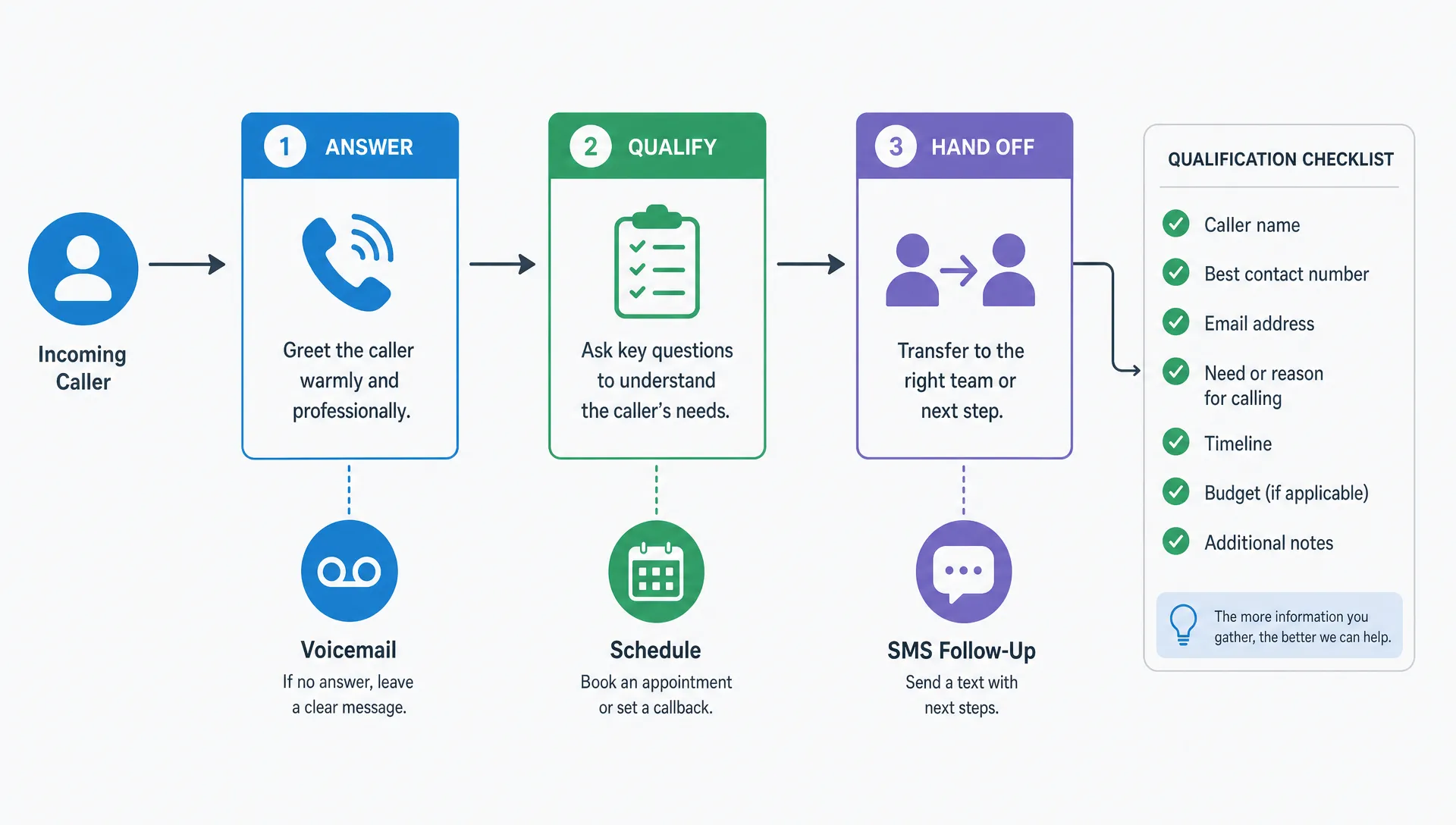

Missed calls are easy to underestimate until you look at what happens after hours, during lunch, while your crew is on a job or when your front desk is busy with a customer in person. For many small businesses, the phone is still the highest intent channel. A caller often needs a quote, appointment, prescription refill, emergency visit, delivery update or simple reassurance that a real business will respond.
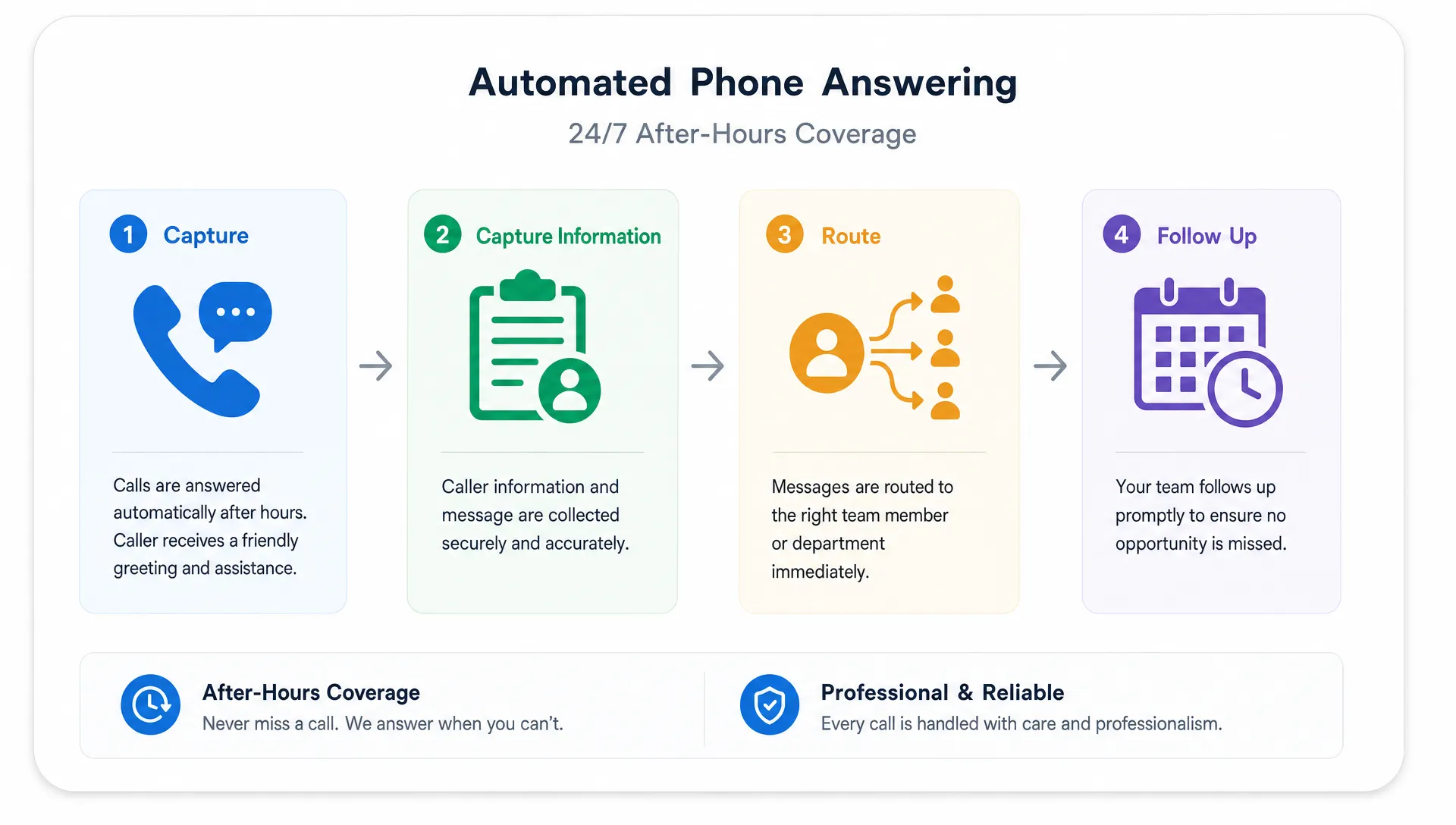
Automated phone answering for small businesses is designed to handle that first moment reliably. It can greet callers, collect details, route urgent issues, schedule appointments, send follow-up messages and capture leads that would otherwise disappear into voicemail.
The key is knowing what to expect. A good automated phone answering service for small business should feel like an operational system, not just a cheaper receptionist or a fancy voicemail. It needs clear rules, accurate information, secure data handling and a plan for human handoff when the situation requires judgment.
What automated phone answering actually means
Automated phone answering can refer to several different setups. Some are simple phone trees. Others use live virtual receptionists. Newer systems use AI voice agents that can understand natural speech, ask follow-up questions and complete tasks through connected tools.
For a small business owner, the most useful distinction is not whether the system is AI or non-AI. The real question is what it can do safely and consistently for your customers.
| Type of answering setup | Best fit | What the caller experiences | Main limitation |
|---|---|---|---|
| Basic voicemail | Very low call volume | Caller leaves a message after the greeting | Many callers hang up instead of leaving details |
| Phone tree or IVR | Simple routing to departments or locations | Caller presses keys or says a short option | Can frustrate callers if the menu is too long |
| Live virtual receptionist | Businesses needing a human tone and basic intake | A remote person answers, follows a script and forwards messages | Quality depends on training, scripts and availability |
| AI voice answering | Repetitive calls, lead intake, scheduling and after-hours coverage | Caller speaks naturally and the system responds in real time | Needs guardrails, testing and clear escalation rules |
| Hybrid model | Most service businesses with varied call types | Automation handles routine calls and routes exceptions to people | Requires better setup but usually gives the best balance |
A local plumber, dental clinic, fitness coach, med spa, tutoring center or home cleaning company may not need a large call center. They need every serious caller captured, categorized and followed up with quickly.
What happens during a typical automated call
A well-designed automated answering flow usually starts with a short greeting that confirms the business name and sets expectations. It may ask what the caller needs, then branch based on the answer. The system might treat a new lead differently from an existing customer, a billing question differently from an emergency request and an appointment change differently from a complaint.
Most setups are built around a few core actions:
- Identify the caller’s intent, such as booking, pricing, support, cancellation, emergency help or general questions.
- Capture essential details, including name, phone number, service needed, location, preferred time and urgency.
- Apply business rules, such as after-hours routing, service area checks, priority call handling and staff availability.
- Send a summary to the owner, front desk, dispatcher, CRM or job management tool.
- Escalate to a human when the caller is upset, the request is sensitive or the answer is not clearly defined.
The best systems do not try to answer everything. They know where the boundary is. For example, an answering agent for a home services company can ask about a leaking pipe, collect the address and mark the lead as urgent. It should not guess pricing for a complex repair unless your business has provided an approved pricing rule.
What you can expect in the first month
In the first few weeks, the biggest improvement is usually consistency. Calls are answered the same way every time. Details are collected in the same format. The business owner is no longer trying to decode half-complete voicemails at the end of the day.
You can reasonably expect fewer missed opportunities, especially outside business hours. If your callers are shopping around, answering quickly can be the difference between winning the job and losing it to the next search result. You can also expect fewer interruptions for routine questions, which matters when you or your team are in the field, with patients, on sales calls or handling in-person customers.
What you should not expect is a perfect system on day one. Even strong answering workflows need tuning. You will discover that customers phrase questions differently than you expected. You may find that your emergency rules are too broad, your appointment prompts need one more question or your follow-up message should include a payment link, intake form or address confirmation.
The first month should be treated as a training period. Review call summaries, look for dropped calls, listen to recordings if legally allowed and adjust the script based on real customer behavior.
Features that matter most for small businesses
Small businesses do not need every feature in a sales demo. They need the features that reduce lost revenue, save time and improve customer experience.
After-hours answering is often the first priority. A caller who reaches your business at 7:30 p.m. may be ready to book, especially for home services, healthcare, wellness or appointment-based businesses. Even if your team responds the next morning, a structured intake can capture the opportunity while the intent is fresh.
Lead qualification is another high-value feature. Instead of receiving a vague message like customer wants quote, you can collect the service type, location, timeline, budget range if appropriate and any special constraints. For field service businesses, this makes dispatch and quoting easier. For professional services, it helps you separate serious prospects from low-fit inquiries.
Appointment scheduling can be useful if your availability is clear and your calendar rules are simple. If scheduling depends on staff skills, travel time, equipment or insurance verification, the system may be better used for appointment requests rather than final booking.
SMS follow-up is also valuable. Many callers answer texts faster than phone calls. A short confirmation message can reduce no-shows, confirm next steps and give the customer confidence that the business received their request.
Cost expectations and how to judge ROI
Pricing varies widely because automated answering can mean different things. Some services charge by minutes, some by call volume, some by user seats, some by integrations and some by setup complexity. AI-based services may also price around usage, connected workflows or premium support.
Instead of comparing only the monthly fee, compare cost against the value of a captured call. A single booked job, consultation, patient appointment or recurring customer may cover the system for the month. On the other hand, a business with very low call value may only need a simple voicemail upgrade or basic routing.
| Cost factor | Why it matters | How to evaluate it |
|---|---|---|
| Call volume | More calls can increase usage-based pricing | Review your phone logs before choosing a plan |
| Call complexity | Longer intake flows can cost more and require more setup | Keep scripts focused on the information you truly need |
| Integrations | Calendar, CRM, dispatch and forms can add value | Prioritize tools your team already uses every day |
| Human handoff | Live backup can improve customer experience | Define which calls deserve immediate human attention |
| Compliance needs | Healthcare, finance and legal workflows require stronger controls | Ask about data handling before sending sensitive calls through the system |
A simple ROI formula is to estimate the monthly value of recovered leads, add the time saved by your team, then subtract the cost of the service. This does not need to be perfect. It just needs to be honest enough to tell whether automation is solving a real business problem or adding another tool to manage.
Common mistakes to avoid
The most common mistake is trying to automate a messy process without cleaning it up first. If your staff are already unsure which calls are urgent, what information must be collected or who owns follow-up, automation will make those gaps more visible.
Another mistake is making the caller work too hard. Long menus, repetitive questions and robotic phrasing create friction. The system should ask fewer questions, but better ones. If a caller wants a roof repair estimate, you probably need their name, address, type of issue, timeline and contact preference. You do not need a ten-question survey before anyone follows up.
Small businesses also overestimate what AI should answer. An AI phone agent can be excellent for routine information, structured intake and consistent routing. It should be limited when the call involves medical advice, legal judgment, emotional complaints, safety issues or complex pricing.
Finally, many businesses forget to close the loop. Capturing a lead is not the same as winning it. If the system sends call summaries but nobody responds quickly, customers will still move on.
Compliance expectations for healthcare and privacy-sensitive businesses
If your business handles protected health information, personal data or sensitive financial details, phone automation needs extra care. This is especially relevant for clinics, therapy practices, home health providers, med spas, pharmacies and healthcare software founders.
For HIPAA-covered workflows in the United States, do not assume a general answering platform is appropriate just because it sounds professional. The U.S. Department of Health and Human Services explains that protected health information must be handled under privacy and security requirements. If a vendor creates, receives, maintains or transmits PHI on behalf of a covered entity, you may need a business associate agreement and clear safeguards.
For businesses serving people in the European Union, GDPR may apply when personal data is collected or processed. The European Commission’s GDPR guidance emphasizes lawful processing, transparency and data subject rights. In practical terms, that means you should know what data is collected, where it is stored, who can access it, how long it is retained and how a customer can request deletion or access.
Call recording also deserves attention. Consent rules vary by location. Before recording calls, transcribing conversations or sending call data into third-party tools, review the laws that apply to your customers and business operations.
When an off-the-shelf service is enough
An off-the-shelf answering service is usually enough when your calls follow predictable patterns. If you need basic after-hours coverage, simple lead capture, appointment requests or call routing to the right person, you can often start with a standard provider.
This is a good path for a small business that wants to move quickly and prove the value of answering automation before investing in deeper software. You can test scripts, learn what callers ask and identify which workflows actually save time.
Off-the-shelf tools are also helpful when your internal systems are simple. If your follow-up process happens in email, a shared calendar or a lightweight CRM, a standard integration may be enough.
When custom software or a mobile MVP makes sense
Custom development starts to make sense when phone answering is only one part of a larger workflow. For example, a field service company may want calls to become job requests, job requests to become technician assignments and technicians to update status from a mobile app. A healthcare founder may want phone intake to connect with a HIPAA-aware patient workflow. A local business may want AI lead capture, SMS follow-up and owner notifications inside one simple dashboard.
This is where a custom MVP can be more useful than stacking disconnected tools. The goal is not to rebuild a phone system from scratch. The goal is to connect call intake with the operational steps that happen next.
If you are considering custom software, start by defining the business outcome before discussing features. Are you trying to book more appointments, reduce admin time, improve dispatch, qualify leads faster or replace paper forms? That decision will shape whether you need a mobile app, internal admin portal, AI automation layer or integration with tools you already use.
For founders and business owners comparing technical options, this guide on how to hire a mobile app developer without costly mistakes is a useful next step. If your call workflow needs to become a cross-platform app or MVP, I work with startups and clients on iOS, Android and fast MVP delivery.
That build work is what my company SteelPine focuses on. If you want the operational detail behind connecting call intake to booking, dispatch and follow-up, we wrote about how AI voice and chat agents cut response time from hours to seconds.
A simple checklist before you choose a provider
Before you sign up for any automated answering service, prepare the operational details that the system will need. This makes vendor comparisons clearer and reduces setup problems.
- List your most common call types and rank them by business value.
- Write the minimum information needed for each call type.
- Decide which calls require immediate human escalation.
- Confirm your business hours, service areas and appointment rules.
- Identify where call summaries should go, such as email, SMS, CRM or dispatch software.
- Review privacy, call recording and compliance requirements before launch.
A provider can help you build the workflow, but the business rules have to come from you. Nobody understands your customers, edge cases and service promises better than your team.
Turn phone calls into a cleaner business workflow
Automated phone answering works best when it is connected to the way your business actually operates. For some small businesses, that means a simple answering service. For others, it means a custom workflow that connects calls, lead generation, scheduling, field updates and customer follow-up.
If you are planning a mobile MVP, AI automation workflow or cross-platform app that supports your customer operations, you can book a consultation call. A focused build can help you move from missed calls and paper processes to a cleaner system your team can use every day.