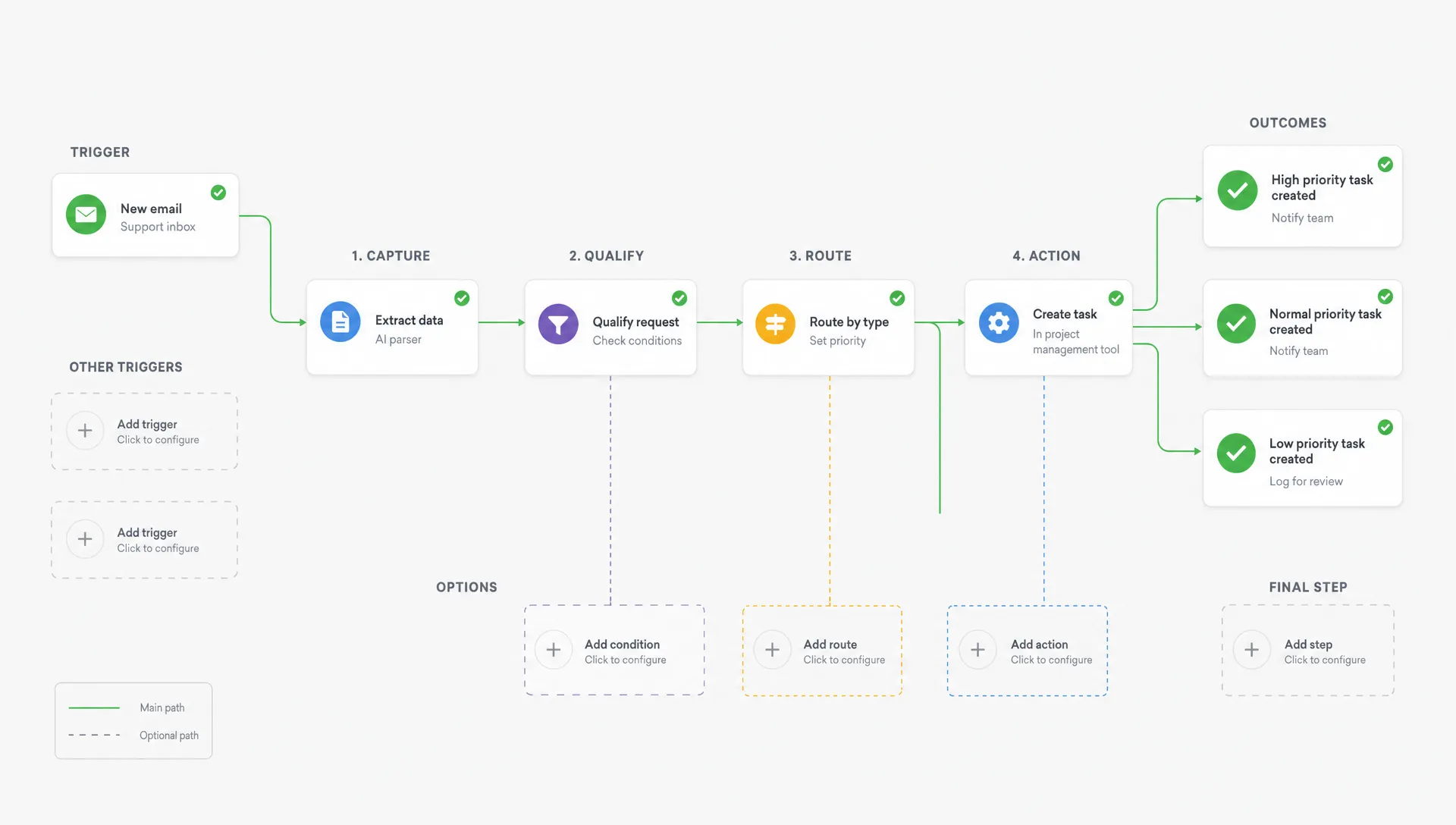

If you want to hire a remote AI developer for your first automation, the goal is not to find someone who can talk endlessly about models. The goal is to find someone who can turn one messy, repetitive workflow into a reliable system your business can actually use.
For a small business owner, that might mean turning email leads into CRM records. For a healthcare founder, it might mean routing intake forms while protecting sensitive data. For an early-stage startup, it might mean building an AI assisted feature inside an MVP without overbuilding the product.
Your first automation should be boring in the best way. It should save time, reduce manual errors or help your team respond faster. The hiring process becomes much easier when you define that outcome before you start interviewing developers.
Start With One Workflow, Not an AI Wish List
Many first automation projects fail because the brief starts too wide. A founder says they want an AI assistant, an internal chatbot, a lead generation engine and a reporting dashboard. That sounds exciting, but it gives a remote developer too many assumptions to fill in.
A better first automation starts with one repeated workflow. Look for work that happens often, follows a recognizable pattern and causes delays when handled manually.
Good first automation candidates include:
- Turning website inquiries into qualified leads with a suggested next step
- Summarizing customer support messages before a team member replies
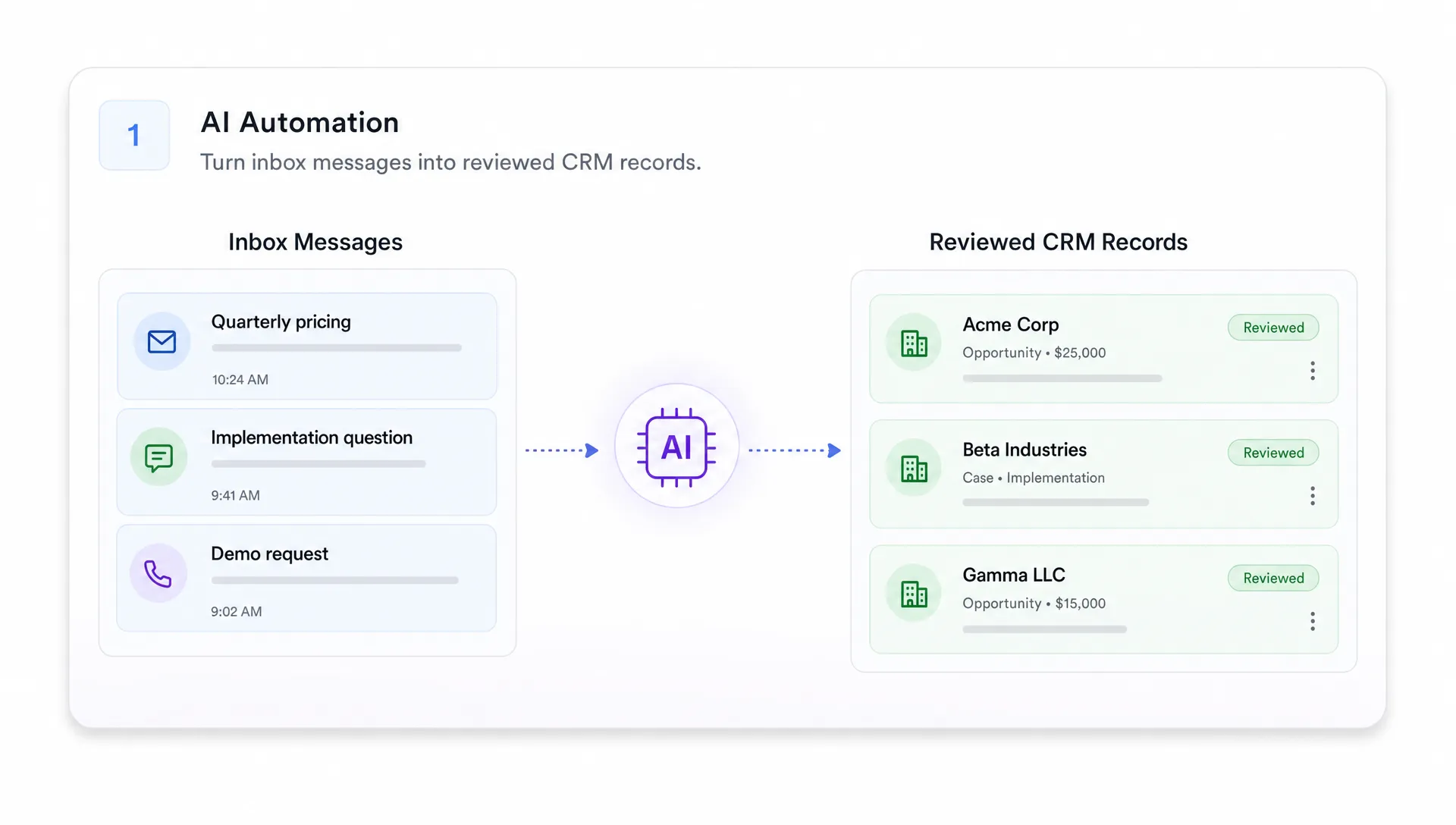
- Extracting details from forms, PDFs or emails into a structured database
- Sending appointment reminders and follow up messages after a service visit
- Matching new requests to the right internal team member
- Drafting estimates or intake summaries for human review
The best early use cases keep a human in control. AI can classify, summarize, draft and recommend, but a person should review anything that affects a customer, patient, payment or legal obligation. This matters even more in healthcare, finance or any workflow involving private data.
Before hiring, write down the workflow as it exists today. Who starts it? What information is received? Where does that information go? What decision is made? What happens if the automation is wrong?
That basic map will save you more money than any prompt engineering trick.
Define the Business Outcome Before the Technical Solution
A remote AI developer can help choose tools, architecture and implementation details, but they should not have to guess what success means for your business.
Instead of asking for an AI chatbot, define the business problem behind it. Maybe you need faster lead response. Maybe your staff spends too much time copying information from email into a spreadsheet. Maybe new customers wait two days for a reply because no one has time to sort inquiries.
Here is a simple way to translate a business problem into a useful automation brief:
| Business problem | First automation idea | Success metric | Human review needed |
|---|---|---|---|
| Leads are missed after hours | Classify incoming leads and draft a response | Faster first response time | Yes, before sending at first |
| Staff copy form data manually | Extract fields and send them to a CRM or spreadsheet | Fewer manual entry tasks | Yes, for low confidence results |
| Field service notes are messy | Summarize job notes into a customer update | Less admin time per job | Yes |
| Support inbox is overloaded | Categorize requests by urgency and topic | Shorter triage time | Yes |
| Healthcare intake is slow | Organize intake data for staff review | Faster intake preparation | Yes, with strict privacy controls |
If the automation will eventually become part of a mobile product, treat it like a small product scope rather than a loose experiment. You can use the same thinking you would use to scope an MVP app in simple steps: define the user, the core workflow, the must-have outcome and the first version you can test safely.
Decide What Kind of Remote AI Developer You Need
The phrase remote AI developer can mean several different things. Some developers focus on machine learning research. Some specialize in automation tools. Others are product engineers who use AI APIs inside web or mobile apps.
For a first business automation, you usually do not need someone training custom models from scratch. You need a developer who can connect real business systems, handle data carefully and build a workflow your team can maintain.
Look for a profile that matches the shape of your project.
| Project type | Best fit | Why it matters |
|---|---|---|
| Lead intake, email triage or CRM updates | AI automation developer with API experience | Integrations and workflow reliability are key |
| AI feature inside an app | Product focused mobile or full stack developer | The AI must fit the user experience |
| Internal dashboard with AI summaries | Full stack developer with AI API experience | You need interface, backend and permissions |
| Healthcare or sensitive data workflow | Developer with privacy and compliance awareness | Data handling is part of the product risk |
| Fast prototype for one process | Automation focused developer | Speed matters, but handoff still matters |
If your automation touches iOS or Android users, hiring someone who understands mobile product development can prevent expensive rework later. The questions overlap with how you would choose a mobile app developer for your startup, especially around code ownership, user experience, privacy and future maintainability.
Write a Brief That Makes Good Developers Interested
Strong developers respond better to clear constraints than vague ambition. A good brief does not need to be technical, but it should show that you understand the workflow and business context.
Include the current workflow, the desired result, the tools involved and any privacy requirements. If you already use software like a CRM, scheduling tool, spreadsheet, form builder or EHR system, name it. If you do not know whether those tools have APIs, say so. A good developer can investigate.
A simple project brief might look like this:
We run a local service business and receive 30 to 50 inquiries per week through our website and email. Today, our office manager reads each message, copies details into a spreadsheet and sends a manual follow up.

We want a first automation that reads new inquiries, extracts contact details, classifies the request type, drafts a reply and logs the lead for staff review. We do not want messages sent automatically until we approve the workflow.

Tools involved: website form, Gmail, Google Sheets and our scheduling system.

Success means fewer missed leads, less copy paste work and faster response time. We want clean documentation and ownership of the code or automation setup.
This kind of brief helps the developer estimate effort, identify risks and suggest a realistic first version. It also filters out candidates who only want to build flashy demos.
Evaluate Developers by How They Think, Not Just What They Promise
A weak candidate will say yes to everything. A strong candidate will ask about edge cases, data quality, failure modes, privacy and how your team will review AI outputs.
When you interview a remote AI developer, listen for practical thinking. They should be able to explain what will be automated, what should stay manual for now and how you will know whether the system is working.
Useful interview questions include:
| Question | What a strong answer should cover |
|---|---|
| What parts of this workflow should not be fully automated at first? | Human review, risk level and staged rollout |
| How will you test whether the AI output is good enough? | Sample data, evaluation criteria and error review |
| What happens when the AI is unsure or wrong? | Confidence thresholds, fallback paths and logging |
| How will you protect customer or patient data? | Data minimization, access control and vendor policies |
| What systems do you need access to? | Clear access plan, least privilege and secure credentials |
| How will you hand this over when the project is done? | Documentation, code access and basic maintenance notes |
Ask them to walk through a similar workflow they have built or would build. They do not need to reveal another client’s private information, but they should be able to describe architecture and tradeoffs in plain English.
Check for Real AI Automation Skills
AI automation is not only prompting. A reliable business automation usually includes several layers: data input, preprocessing, AI logic, validation, storage, user interface, notifications and monitoring.
Depending on your project, a developer may need experience with:
- APIs and webhooks for connecting business tools
- Databases or spreadsheets for storing structured outputs
- Authentication and user permissions
- Prompt design and output formatting
- Error handling when an integration fails
- Logging so you can review what happened
- Basic evaluation using real examples from your workflow
For example, if an automation extracts details from incoming emails, the developer should not only ask the model to summarize the email. They should define the fields required, validate missing data, flag uncertainty and prevent bad data from silently entering your system.
For lead generation, the developer should understand the difference between drafting a helpful response and sending unapproved messages at scale. For healthcare workflows, they should understand that convenience cannot come at the expense of privacy.
Take Privacy, HIPAA and GDPR Seriously From Day One
If your automation touches personal data, medical information or customer records, privacy needs to be part of the first conversation. Retrofitting privacy later is harder and riskier.
For healthcare projects in the United States, HIPAA may apply when protected health information is handled by covered entities or business associates. The HHS HIPAA Security Rule guidance is a useful starting point for understanding safeguards around electronic protected health information.
For users in the European Union or businesses serving EU residents, GDPR obligations may apply. The European Commission’s data protection overview explains core principles such as lawful processing, transparency and data subject rights.
You do not need to become a compliance lawyer to hire well, but you should ask direct questions. What data will the AI system receive? Which vendors process it? Is data retained for model training? Who can access logs? Can sensitive fields be redacted before processing? How are credentials stored?
The NIST AI Risk Management Framework also encourages organizations to map, measure and manage AI risks. For a small business, that can be as practical as listing what could go wrong, deciding which outputs require review and keeping records of failures so the workflow can improve.
Set Up Remote Collaboration Before Work Begins
Remote hiring works well when communication is structured. It fails when everything happens through scattered messages and unclear approvals.
Before the project starts, agree on the basics: where tasks will be tracked, how often you will review progress, who approves changes and how access will be shared. If you are a non-technical founder, ask for short written updates that explain progress in business terms, not only technical tasks.
A healthy first automation project usually moves through four phases.
First, the developer confirms the workflow and tools. This includes access needs, data samples, edge cases and any compliance constraints.
Second, they build a small prototype using sample data. The purpose is to prove that the automation can produce useful outputs before connecting it deeply to live systems.
Third, your team tests it with real examples while keeping human review in place. This stage reveals the messy cases: incomplete messages, unusual requests, duplicate leads and confusing inputs.
Finally, the developer launches the first usable version with documentation, monitoring and a handoff plan. Even a small automation should have notes explaining how it works, where credentials live, what to do when it fails and who owns the code or configuration.
Avoid the Most Common Hiring Mistakes
The biggest mistake is hiring for hype instead of fit. A developer who can build an impressive AI demo may not be the right person to connect your tools, protect your data and ship something your team will use every day.
Another common mistake is skipping ownership details. Before work starts, confirm who owns the code, prompts, workflows, documentation and accounts created during the project. If the developer uses third-party services, make sure you understand which accounts belong to your business.
Founders also underestimate the value of a small launch. Your first automation does not need every edge case solved. It needs to work safely for a narrow workflow, give you feedback and create a foundation for the next version.
If you are also comparing mobile app developers or product engineers, it is worth reviewing how to hire a mobile app developer without costly mistakes because many of the same principles apply: clear scope, relevant experience, communication, ownership and long-term maintainability.
Know What a Good First Automation Deliverable Looks Like
A first automation should not end with a mysterious black box. You should receive a working workflow and enough clarity to operate it.
At minimum, ask for a handoff that includes a plain English workflow description, account and access notes, known limitations, instructions for reviewing outputs and a list of recommended next improvements.
If code is involved, ask where it is stored and how it can be deployed again. If the automation uses prompts, ask where they are documented. If it connects to your CRM, email inbox, calendar or customer database, ask what permissions were granted and how to revoke them.
This is especially important when hiring remotely. A professional remote AI developer should make the work easier to understand, not more dependent on them for every small change.
When Should You Hire a Remote AI Developer Instead of Using No-Code Tools?
No-code tools can be useful for simple automations. If all you need is to move form submissions into a spreadsheet or send a basic notification, you may not need custom development.
You should consider hiring a developer when the workflow has sensitive data, multiple integrations, custom logic, user permissions, mobile app requirements or a real risk of bad outputs causing business problems. You should also hire when you need the automation to become part of a product rather than a quick internal shortcut.
For example, an AI powered study companion, lead qualification system or healthcare intake workflow may start small, but the long-term value comes from thoughtful product design, data handling and user experience. In those cases, a developer who can think beyond the first prompt is usually worth it.
Ready to Build Your First AI Automation?
Your first automation should solve a real operational problem, not add complexity. Start with one workflow, define the outcome, keep human review in place and hire someone who can build a reliable system around your business.
I build cross-platform mobile apps, MVPs and AI powered product workflows for startups and small businesses. If you want to explore whether your first automation should be a lightweight internal workflow, a mobile app feature or a focused MVP, you can book a consultation call and discuss the simplest path to a useful first version.