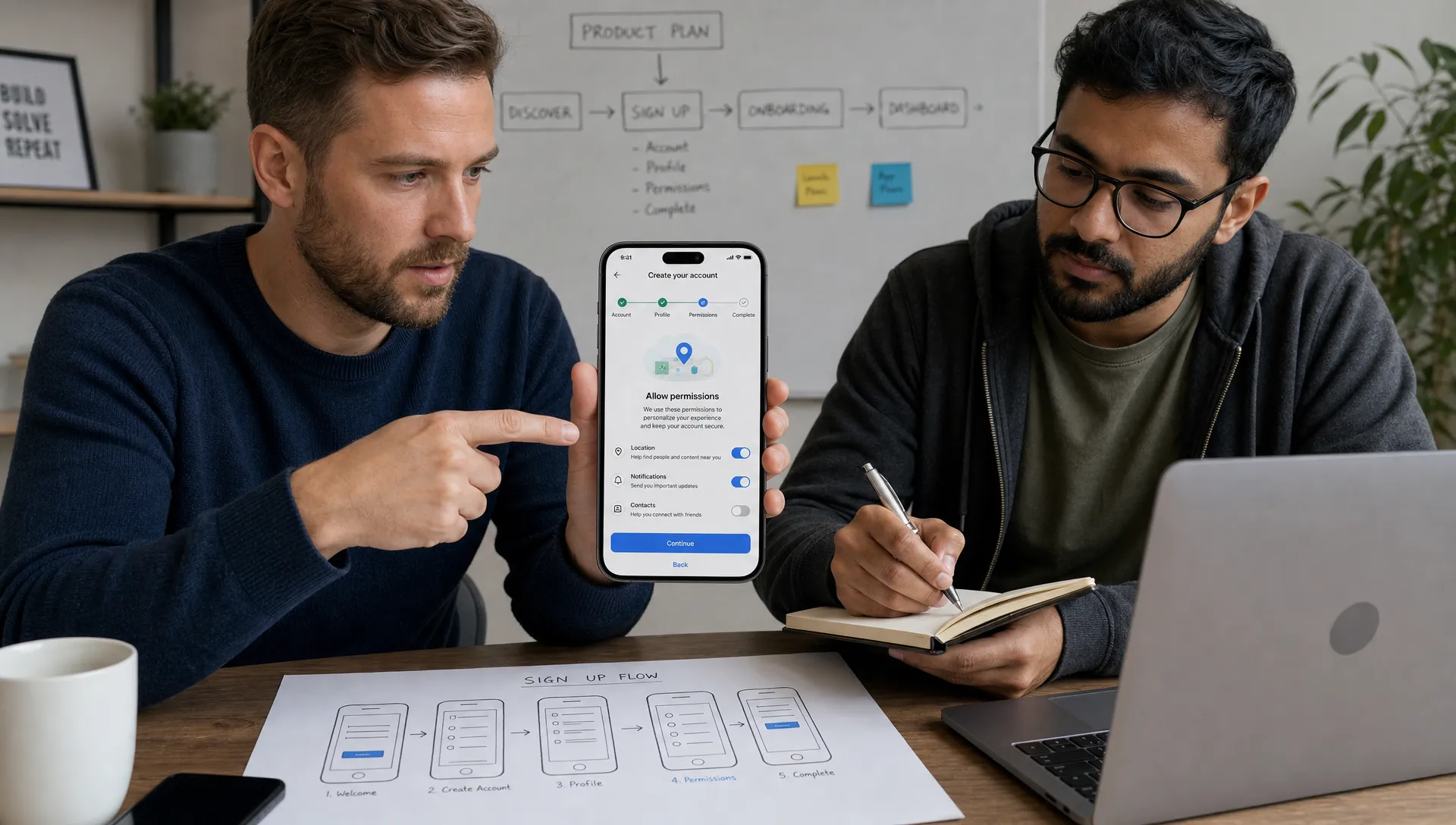

A clean Android app is not just an app with a tidy interface. It is an app that feels predictable, protects the user, loads quickly and makes every action easy to understand. For a startup founder or small business owner, that trust can decide whether users complete onboarding, book an appointment, submit a form, pay an invoice or delete the app after one session.
Building a clean Android app starts before anyone writes code. It begins with choosing the right problem, removing unnecessary scope and designing the app around what users need to do with confidence. This matters even more for businesses handling personal details, payment information, health data, customer addresses or field service records.
Below is a practical framework for building an Android app users trust, from MVP planning and interface design to privacy, security, performance and launch readiness.
What Makes an Android App Feel Clean?
Users rarely describe an app in technical terms. They say it feels easy, fast, safe or annoying. Under the surface, those reactions come from product and engineering decisions.
A clean Android app usually has four qualities:
-
Clarity: users understand what the app does, what to do next and what will happen after they tap a button.
-
Consistency: screens, navigation, forms, buttons and messages behave the same way across the app.
-
Reliability: the app does not crash, freeze, lose progress or surprise users with broken states.
-
Respect: the app asks for only the permissions it needs, explains sensitive actions and protects user data.
For non-technical founders, this is useful because it shifts the conversation away from “How many features can we build?” and toward “What would make a user trust this product enough to use it again?”
That question is especially valuable during MVP development. If the first version is cluttered, slow or unclear, adding more features rarely fixes the underlying trust problem.
Start With a Narrow, Trust-Focused MVP
The cleanest apps often do less than competitors, but they do the core job better. A local service business might not need a full customer portal, referral program, staff dashboard and automated marketing engine in version one. It may need a simple way for customers to request a job, upload photos, receive updates and approve a quote.
The same logic applies to startup products. A study app does not need every flashcard system, AI tool and social feature on day one. A fitness app does not need meal planning, community posts and wearable integrations before the basic workout flow is useful.
If you are still shaping the product idea, it helps to separate the user problem from the feature list. The guide on building a mobile app that users want covers that early planning stage in more detail.
A trust-focused MVP answers a few practical questions before development starts:
| MVP decision | Why it affects trust | Founder check |
|---|---|---|
| Core user action | Users need one obvious reason to open the app | Can you describe the main action in one sentence? |
| Required data | Asking for too much information too soon feels risky | Can the user get value before sharing sensitive details? |
| Permissions | Android users are cautious about location, camera, contacts and files | Does each permission support a clear user benefit? |
| Error handling | Failed submissions and lost progress damage confidence | What happens when the connection drops or a form is incomplete? |
| First session | Users decide quickly whether the app feels worth keeping | Can a new user reach value in under a few minutes? |
A clean MVP is not unfinished. It is intentionally focused.
Design Screens That Feel Obvious
Trust often starts with visual clarity. If users hesitate because a screen is crowded or a button label is vague, the app already feels less reliable.
Good Android UX is usually quiet. It uses familiar navigation, readable labels, clear hierarchy and enough spacing for users to scan without effort. The goal is not to impress users with complexity. The goal is to help them complete the task they came for.
For small businesses, this can mean replacing paper processes with simple flows: create a work order, assign a technician, collect a signature, send an update or view a customer history. For healthcare-adjacent apps, it may mean making intake forms easy to review and making consent language visible before users submit information.
A few design choices make a large difference:
-
Use action labels that describe the result, such as “Book appointment” instead of “Submit”.
-
Show progress in multi-step flows so users know how much is left.
-
Confirm destructive actions like deleting a record or canceling a booking.
-
Keep forms short and explain why sensitive fields are needed.
-
Design empty states, loading states and error states instead of treating them as edge cases.
Android users also expect apps to respect platform conventions. Material Design components, accessible tap targets and native-feeling navigation help an app feel familiar rather than experimental. The Android app quality guidelines from Google are a useful reference for baseline expectations around visual experience, functionality and performance.
Build on a Codebase That Can Stay Clean
A clean app interface can hide messy code for a short time, but not for long. As the app grows, poor structure leads to slow changes, fragile fixes and bugs that appear in unrelated parts of the product.
Clean Android development usually means the codebase has clear separation between the user interface, business logic, data storage and external services. A founder does not need to know every technical pattern, but they should care about the outcome: the app should be easier to maintain after launch, not harder.
For native Android apps, developers often use Kotlin and modern Android libraries. For startups and small businesses that also need iOS, a cross-platform framework may be a better fit. Flutter, for example, can make sense when the goal is to ship iOS and Android from one shared codebase without building two separate apps. The tradeoffs are explained in more depth in this guide on when a Flutter mobile app is the right choice.
No matter which stack you choose, the principle is the same: the technical foundation should match the product stage. An MVP needs speed, but not at the cost of creating a codebase that cannot support real users.
Treat Privacy as Part of the Product
Users trust apps that are honest about data. They distrust apps that ask for permissions too early, hide data practices in vague language or collect information without an obvious reason.
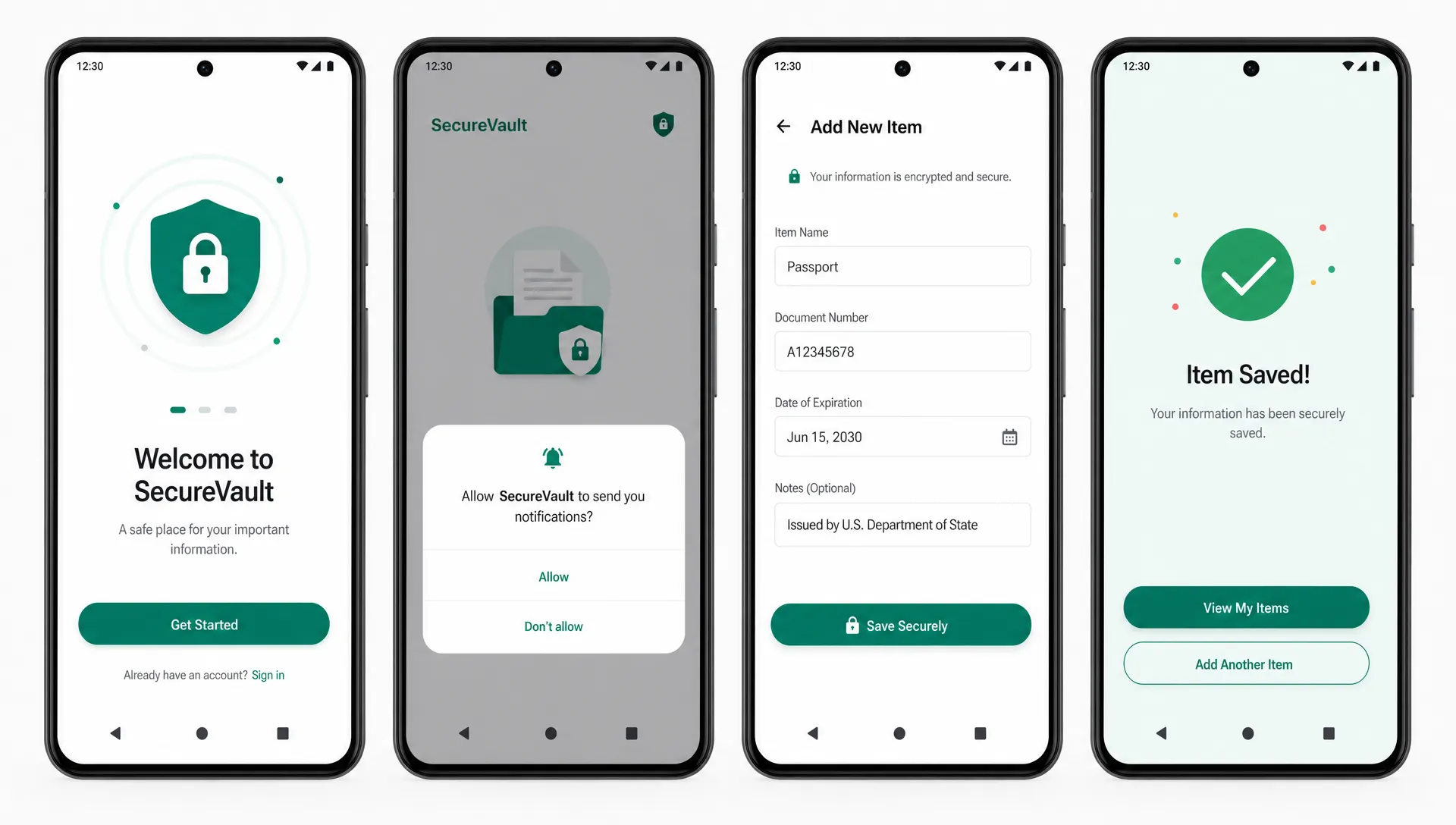
Android makes permission requests visible, which means every permission becomes a trust moment. Camera access may be reasonable for uploading job-site photos. Location access may be reasonable for dispatching field technicians. Contact access, microphone access or background location need stronger justification because they feel more invasive.
Google Play also requires developers to be transparent about how apps collect, use and share user data. Its User Data policy is worth reviewing early, not after the app is ready to submit.
For healthcare software, trust has a legal and operational dimension too. If an app handles protected health information in the United States, HIPAA requirements may apply. The U.S. Department of Health and Human Services provides guidance on the HIPAA Security Rule, including safeguards for electronic protected health information. If the app serves users in the European Union or processes personal data from EU residents, GDPR requirements may also apply, and the European Commission outlines key rules on data protection in the EU.
Compliance is not something a developer should casually promise without understanding the app, data flows, hosting setup, access controls and business processes. But privacy-aware product decisions can and should be made from the start.
Make Security Visible Without Making the App Hard to Use
Security should protect users without turning every session into a burden. The right approach depends on the type of app, the data being handled and the risk of unauthorized access.
A booking app for a local salon has different requirements than a healthcare intake app or a field service tool containing customer addresses, job photos and invoices. The mistake is treating all apps the same.
For most Android apps, trust improves when these basics are handled well:
-
Secure authentication for accounts that contain private data.
-
Encrypted network communication using HTTPS.
-
Careful handling of tokens, session data and local storage.
-
Role-based access when staff, admins or customers see different information.
-
Safe logging practices so sensitive data does not appear in crash reports or debug logs.
-
Regular dependency updates to reduce known vulnerabilities.
For higher-risk apps, developers can also use frameworks like the OWASP Mobile Application Security Verification Standard as a reference for mobile security controls. That does not mean every MVP needs enterprise-level security from day one, but it does mean the app should not be built in a way that makes stronger security difficult later.
A clean security experience also uses plain language. Instead of showing a cryptic error like “Auth token invalid,” the app can say, “Your session expired. Please sign in again.” Users do not need implementation details. They need to know what happened and how to continue.
Performance Is a Trust Signal
Users judge quality through speed. If an app takes too long to open, freezes during a form submission or drains battery in the background, it feels careless even if the design looks polished.
For founders, performance should not be treated as a final cleanup task. It affects architecture, API design, image handling, offline behavior, analytics and testing. A clean Android app should feel responsive on real devices, not only on a developer’s latest phone.
Google tracks performance and stability through Android vitals, including crash rates and app not responding errors. The Android vitals documentation explains how these metrics affect app quality on Google Play.
Common performance issues include loading too much data at once, using oversized images, blocking the main thread, making repeated network calls and failing to cache content that users need often. For field service, construction, home repair and logistics apps, offline and low-signal conditions deserve special attention because users may be working in basements, rural areas or job sites with unstable connectivity.
The app should also protect user progress. If a technician fills out a long job report and loses it because the signal dropped, the app has failed in a way users will remember. Draft saving, retry logic and clear sync status can make the difference between frustration and trust.
Use Microcopy to Reduce Doubt
Microcopy is the small text that guides users through an app: button labels, helper text, error messages, permission explanations and confirmation messages. In a clean Android app, these words carry a lot of trust.
For example, compare “Allow location” with “Allow location so we can show jobs near your current route.” The second version gives the user context. It does not guarantee they will say yes, but it makes the request feel less random.
Good microcopy is especially useful when users are sharing sensitive information, making payments or completing a business-critical workflow. It should answer the concern that appears in the user’s mind at that moment.
| User moment | Weak message | Better message |
|---|---|---|
| Permission request | “We need access” | “Use your camera to add photos to this job report” |
| Failed form | “Error” | “Please add a phone number before sending this request” |
| Payment confirmation | “Done” | “Payment received. A receipt has been sent to your email” |
| Sync delay | “Pending” | “Saved on this device. We will sync when connection returns” |
| Account security | “Invalid” | “Your session expired. Sign in again to continue safely” |
These details are small, but users experience them as care.
Test Trust Before Launch
Testing is not only about finding crashes. It is also about finding confusion.
Before launch, watch a few real users try the app without coaching. For a local business app, that might be a receptionist, technician or customer. For a healthcare workflow, it might be an operations lead reviewing whether the intake process matches real-world procedures. For a startup MVP, it might be five to ten target users trying the core flow while you observe where they pause.
Ask users to complete the main job the app was built for. Do not explain the interface first. If they cannot understand the flow without your help, the app needs clearer design or copy.
Useful launch checks include account creation, forgotten password flows, permission prompts, form validation, slow network behavior, empty states, push notification behavior, payment or booking confirmations and app behavior after being closed and reopened.
A clean launch is not a launch without any future improvements. It is a launch where the core experience is stable enough that early users can trust it.
Match Trust Requirements to Your App Type
Different Android apps create trust in different ways. A social app needs safe defaults and clear privacy controls. A field service app needs reliability under messy real-world conditions. A healthcare app needs careful data handling and compliance planning.
| App type | What users need to trust | Clean app priority |
|---|---|---|
| Local business app | Booking, payments, updates and contact details | Simple flows, confirmations and clear support paths |
| Field service app | Job data, schedules, photos and customer records | Offline handling, role-based access and durable saving |
| Healthcare app | Personal and health-related information | Consent, access controls, audit-friendly processes and compliance review |
| Fitness app | Progress, routines and personal goals | Fast tracking, readable history and helpful reminders |
| Study app | Notes, plans, learning history and focus tools | Low-friction sessions, saved progress and privacy-aware personalization |
| Social app | Identity, messages, visibility and safety | Privacy defaults, reporting tools and transparent settings |
If your app involves social features, privacy deserves extra attention. The article on building a social app without sacrificing privacy goes deeper into safer defaults, contact syncing and messaging considerations.
Common Mistakes That Make Android Apps Feel Untrustworthy
The fastest way to lose trust is to make users feel uncertain. That uncertainty can come from design, technical quality or business decisions.
One common mistake is asking for sign-up too early. If users do not yet understand the value, creating an account feels like a demand rather than a fair exchange. Another mistake is requesting permissions before the user reaches the feature that needs them. Android users are more likely to grant access when the request appears at the right moment and has a clear purpose.
Feature overload is another issue. Founders often want the first version to include every idea because they worry users will leave without them. In practice, too many features can make the app harder to understand and slower to build. Trust usually comes from a polished core workflow, not a crowded menu.
Poor error handling also damages confidence. Users can forgive a temporary issue if the app explains what happened and protects their progress. They are less forgiving when a spinner never ends or a form simply disappears.
Finally, many apps treat post-launch maintenance as optional. Android versions, dependencies, device types and user expectations change. A clean app needs ongoing attention after release, especially if it handles sensitive business or customer data.
When to Bring in a Mobile App Developer
If you are a non-technical founder or small business owner, you do not need to define every technical detail before speaking with a developer. You do need a clear business goal, a target user and a realistic idea of the first workflow the app should support.
A good developer should help you reduce scope, identify risk, choose the right technical approach and avoid expensive rebuilds. That matters if you are replacing paper operations, building a startup MVP or creating a mobile product that may later expand to iOS, web dashboards or integrations.
If you are comparing options, this guide on hiring a mobile app developer without costly mistakes explains what to look for before you commit.
Build an Android App Users Can Trust
A clean Android app results from focused product thinking, careful UX, solid engineering, and respect for user data. For founders and small businesses, that means starting with the workflow that matters most, building it well and avoiding shortcuts that create confusion or risk later.
If you are planning an Android MVP and want help turning it into a fast, usable, trustworthy product, I build iOS and Android apps for startups and clients, focusing on cross-platform development, clean code, and rapid MVP delivery. You can book a consultation to discuss what your first version should include and what can wait. You can see my work or book a consultation.