
Launch day is not the end of a mobile app project. It is the moment your app leaves a controlled build environment and meets real users, real devices, bad connections, forgotten passwords, edge cases and expectations you did not fully predict.
For a founder or small business owner, this is where a practical mobile app support plan becomes valuable. Not a vague promise to “fix bugs later,” but a simple operating system for monitoring the app, responding to issues, protecting user trust and deciding what should be improved next.
A good support plan does not need to be complicated. It needs clear ownership, clear priorities and a repeatable rhythm.
Why mobile app support matters after launch
Most early apps launch with a focused feature set. That is the right approach, especially for MVPs, but it also means your first version is only the start of the product learning cycle. Once people begin using the app, you will see which flows are confusing, which devices expose bugs and which features matter more than expected.
Post-launch support protects three things:
- User trust: A fast response to login issues, payment problems or broken forms can stop early users from leaving bad reviews.
- Business continuity: If your app supports bookings, orders, field reports, patient intake or internal operations, downtime can affect revenue and staff productivity.
- Product direction: Support requests show you what users actually need, not just what the team assumed before launch.
If your app is still in the planning stage, it is worth pairing this article with a launch-focused roadmap like building a mobile app that users want. The stronger the MVP scope, the easier it is to support after release.
The first 72 hours: stabilize before you expand
The first few days after release should be about stability, not new features. This is when founders often feel tempted to react to every user comment, but the priority is making sure the app works reliably for the people who already installed it.
At minimum, your developer should know where to check crash reports, app store status, backend logs and user feedback. Apple provides crash and analytics data inside App Store Connect, while Google offers Android performance monitoring through Android vitals. Many teams also use tools like Firebase Crashlytics to track crashes across releases.
In the first 72 hours, focus on questions like these: are users able to sign up, log in and complete the main workflow? Are crashes concentrated on a specific device or operating system version? Are push notifications, payment flows, booking forms or file uploads working as expected? Are there support emails or app store reviews pointing to the same issue?
This early review does not need to become a daily obsession forever. It simply gives your app a safer landing period while real users start interacting with it.
Set severity levels before the first bug report
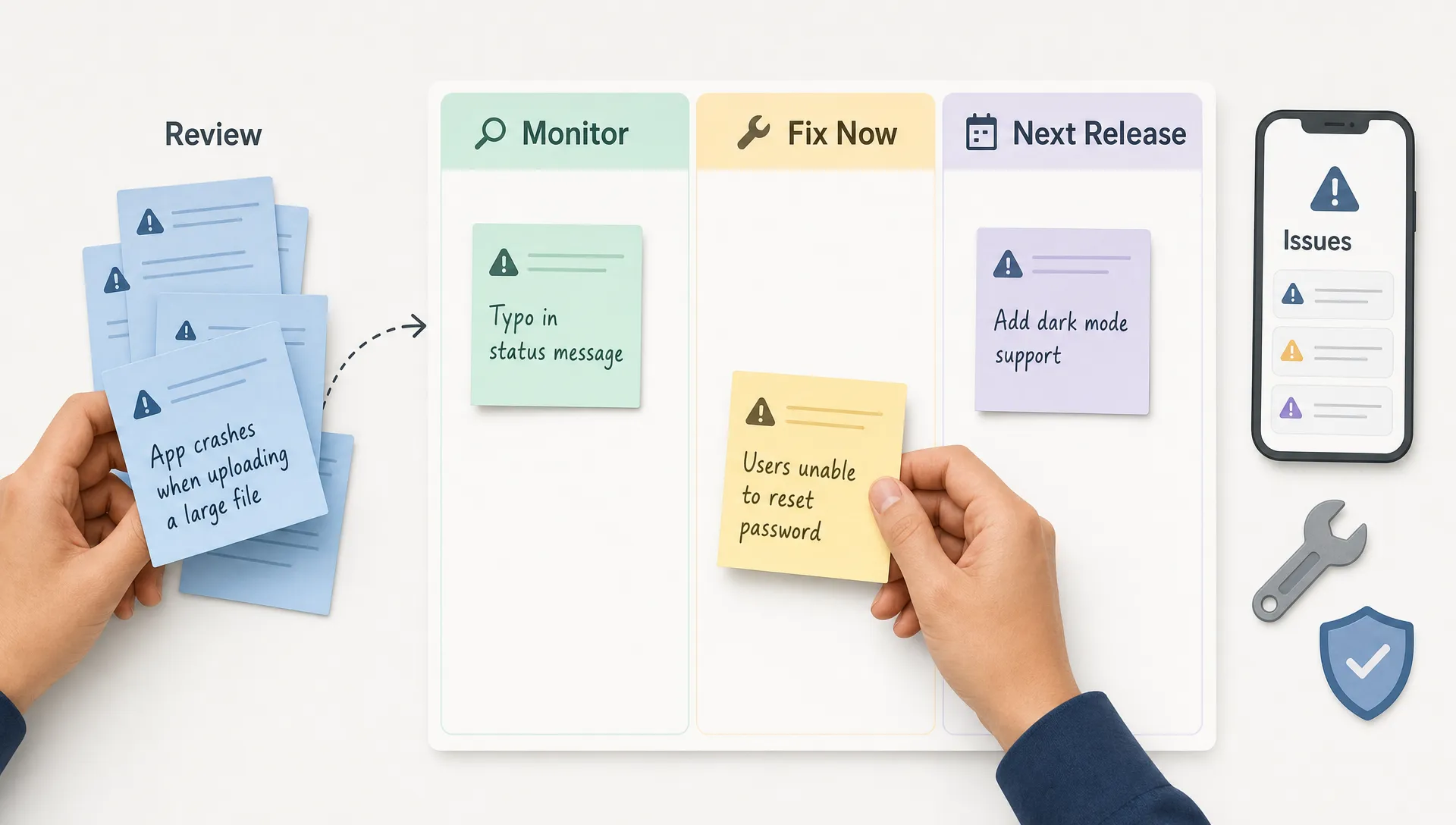
A founder should not have to guess whether an issue is urgent. A simple severity system helps you and your developer decide what gets fixed immediately, what waits for the next update and what belongs in the product backlog.
| Severity | What it means | Example | Suggested action |
|---|---|---|---|
| P0 | The app or core business flow is unusable | Users cannot log in, payments fail, appointments cannot be created | Investigate immediately, hotfix or rollback if needed |
| P1 | A major feature is broken for many users | Search fails, staff cannot submit field reports, push alerts do not send | Triage within 24 hours and schedule a fix |
| P2 | A non-critical issue affects usability | UI overlap on one screen, slow loading in a secondary area | Add to the next planned maintenance release |
| P3 | A minor polish item or future improvement | Copy change, small layout tweak, nice-to-have setting | Add to backlog and review during roadmap planning |
This system is especially useful for non-technical founders because it turns emotional support requests into operational decisions. A frustrated user does not automatically mean a P0 issue. A quiet bug in a payment or compliance flow might be far more urgent.
Build a weekly support rhythm
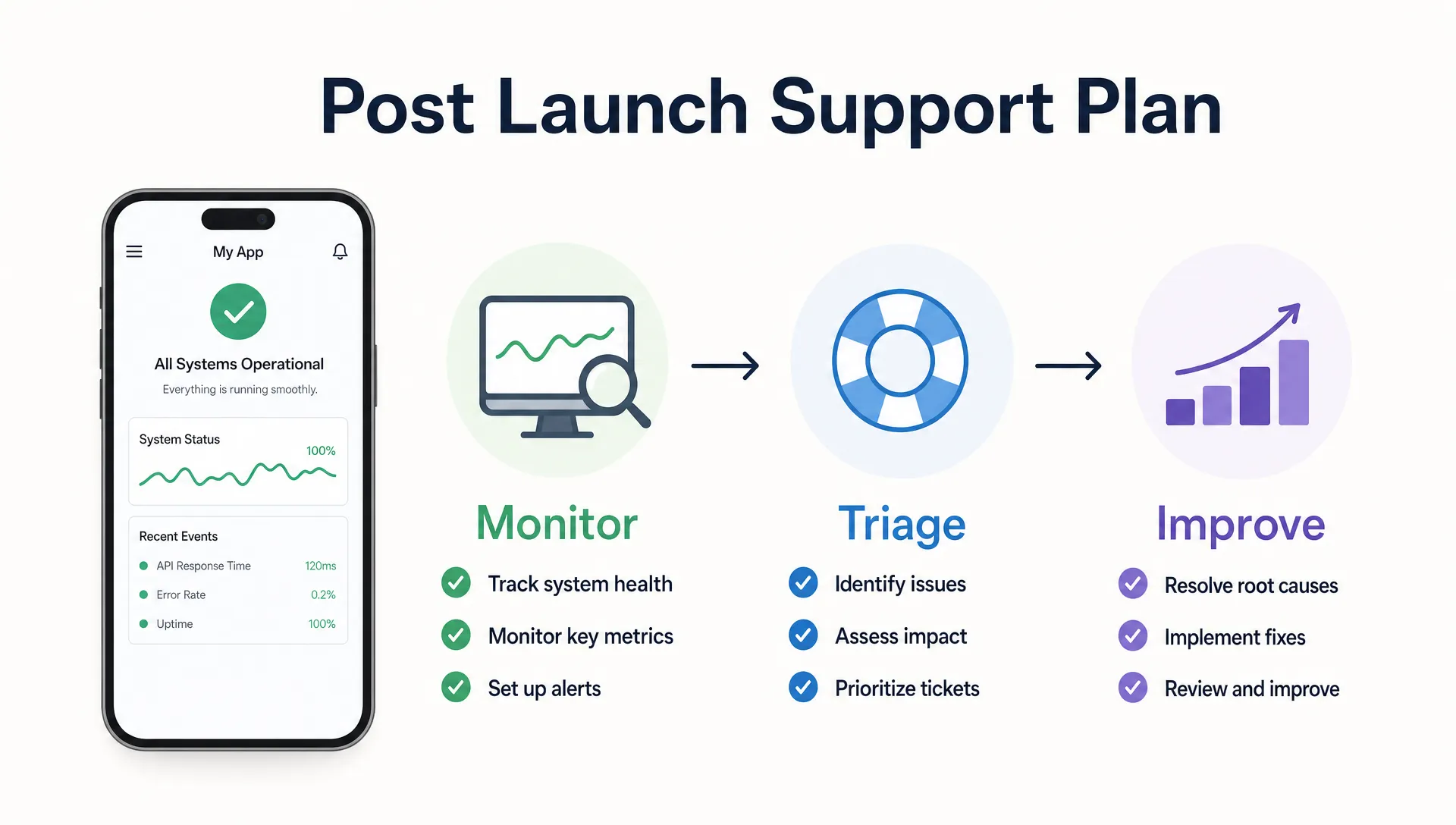
After the launch window, support should become a predictable weekly process. A small app does not usually need a large support team, but it does need someone to review issues consistently.
A practical weekly rhythm can include reviewing crash reports, checking app store reviews, reading support messages, confirming backend uptime and deciding which fixes should go into the next release. For internal business apps, this may also include speaking with the staff who use the app in the field, at reception, in a clinic or inside daily operations.
The goal is to avoid two common extremes. One is ignoring the app until something breaks badly. The other is interrupting development every day with small requests that never get prioritized properly.
A weekly review gives you a middle path. You collect issues during the week, group similar problems and make calm decisions based on user impact.
Decide what is support and what is new product work
One of the biggest post-launch mistakes is mixing bug fixes, maintenance and new features into the same bucket. That makes costs harder to manage and creates tension between founders and developers.
Support work keeps the launched product healthy. Product work changes what the app is becoming.
| Type of work | Usually belongs in support | Usually belongs in new product development |
|---|---|---|
| Bug fixes | Fixing crashes, broken buttons, failed forms or incorrect data display | Rebuilding a whole workflow because the business model changed |
| Maintenance | Updating dependencies, fixing OS compatibility issues, adjusting app store requirements | Adding a new module, subscription model or admin system |
| Small UX fixes | Improving confusing labels or minor layout problems | Redesigning the full onboarding or navigation structure |
| Feedback handling | Reviewing complaints and tagging recurring themes | Turning feedback into a new feature roadmap |
This separation helps keep expectations fair. If you scoped a lean MVP, not every user request should become an immediate change. A focused backlog lets you protect the core app and make better product decisions. If scope control is still a challenge, the guide on how to scope an MVP app in 6 simple steps gives a useful framework for keeping feature decisions grounded.
Create a feedback loop that does not overwhelm you
User feedback is valuable, but raw feedback can become noisy fast. Some people report bugs. Others request features. Some describe a real problem but suggest the wrong solution. Your job is to capture the signal without letting every message derail the roadmap.
Start by choosing one or two official feedback channels. For a consumer app, that might be an in-app contact form and app store reviews. For a small business operations app, it might be a shared email address and a weekly staff feedback form. For a healthcare or professional services app, support intake may need stricter privacy rules, especially if messages could include sensitive information.
Use simple tags to classify feedback:
- Bug: Something is not working as intended.
- Confusion: The feature works, but users do not understand it.
- Request: A user wants something the app does not currently do.
- Complaint: A user is unhappy with speed, design, pricing or workflow.
- Praise: A user mentions what they like and want to keep.
Once feedback is tagged, patterns become easier to see. Ten users asking for the same workflow shortcut deserve more attention than one person requesting a complex feature that does not fit your target audience.
Plan for app store, OS and dependency updates
Mobile apps do not stay frozen after launch. Apple and Google release operating system updates. Devices change. App store policies evolve. Third-party packages and APIs may need upgrades. Even if your feature set does not change, your app still needs occasional maintenance.
This matters for both native and cross-platform apps. Cross-platform frameworks can help founders move faster, but they still require responsible upkeep. If speed is a major constraint for your business, it may help to understand how to develop a cross-platform mobile app faster while keeping long-term maintenance in mind.
A practical maintenance schedule might include a monthly technical review, a quarterly dependency update window and extra checks before major iOS or Android releases. The exact rhythm depends on your app’s complexity, user base and business risk.
Apps with payments, user accounts, location tracking, messaging, health data or business-critical workflows should be treated more carefully than simple content apps. The more your app affects operations or trust, the more disciplined your support plan should be.
Include security and privacy in the support plan
Security is not only a pre-launch concern. After launch, your support plan should include a process for handling suspicious activity, data access issues, account recovery, permission problems and privacy requests.
For healthcare apps, this becomes more sensitive. If an app handles protected health information in the United States, HIPAA obligations may apply. The U.S. Department of Health and Human Services explains the administrative, physical and technical safeguards expected under the HIPAA Security Rule. If your app serves users in the European Union or processes personal data from EU residents, the GDPR may also shape how you handle consent, deletion requests and data access.
This is not something to improvise after a complaint arrives. A healthcare, wellness, clinic or patient-facing app should define who can access support messages, how sensitive data is stored, what gets logged and when legal or compliance advice is required.
Even for non-healthcare apps, privacy basics matter. Users should know how to contact support, how to request account deletion if applicable and what happens when they report a problem.
Budget for support before you need it
Founders often budget for design and development, then treat support as an afterthought. That creates stress when the first bug appears or the first platform update breaks something.
A support budget does not need to be large at the MVP stage, but it should be intentional. You can plan for a fixed post-launch support period, an hourly arrangement for fixes or an ongoing maintenance retainer. The right model depends on how often users rely on the app and how quickly issues need to be resolved.
For a small local business app used by staff every day, downtime can interrupt operations. For a public startup MVP, slow support can damage early user trust. For a field service app, bugs can affect scheduling, job completion or customer updates. The business impact should guide the support level.
When discussing support with a developer, ask what happens after launch, how bugs are reported, who owns deployment, how app store updates are handled and whether documentation is included. These questions are just as important as asking how long the first build will take.
A simple 30/60/90-day mobile app support plan
You do not need a heavy process to support mobile app users well. A 30/60/90-day plan gives your team structure without overcomplicating the early stage.
| Timeline | Main focus | Practical actions | Decision to make |
|---|---|---|---|
| Days 1 to 30 | Stabilization | Monitor crashes, fix launch bugs, review support messages, confirm core flows | Is the app stable enough to promote more widely? |
| Days 31 to 60 | Usability and retention | Group feedback, improve confusing areas, check activation and repeat usage | Which small improvements will help users return? |
| Days 61 to 90 | Roadmap planning | Review analytics, compare requests, estimate next features, plan maintenance | What should become version 1.1 or the next MVP phase? |
This plan is simple enough for a founder to manage, but structured enough to keep support from becoming random. It also gives your developer better context, which usually leads to better fixes and cleaner future development.
Questions to ask your developer before launch
Before your app goes live, have a direct conversation about support. Do not wait until users are already reporting problems.
Good questions include:
- Who monitors crashes after launch? Someone should know where reports are collected and how often they are reviewed.
- How do we report bugs? Agree on one place to document issues so details do not get lost in scattered chats.
- What information should a bug report include? Device type, operating system, user steps, screenshots and account details can help reproduce the issue.
- How are urgent fixes deployed? You should understand the process for submitting updates to the App Store and Google Play.
- What is included in support? Separate bug fixes and maintenance from new feature development.
- Who owns code, credentials and app store access? Access should be clear before launch, not discovered during an emergency.
- What happens after the initial support period? Decide whether you need occasional help or ongoing maintenance.
These questions also reveal whether a developer thinks beyond the first build. A strong launch partner cares about what happens once users start relying on the app.
Need a practical support plan for your app?
If you are launching an MVP or already have an iOS and Android app in users’ hands, post-launch support should be part of the product plan, not an emergency reaction.
I build cross-platform mobile apps for startups and businesses with a focus on clean code, fast MVP delivery and strong user experience. If you need help planning, launching or supporting your mobile app after release, you can book a consultation call.