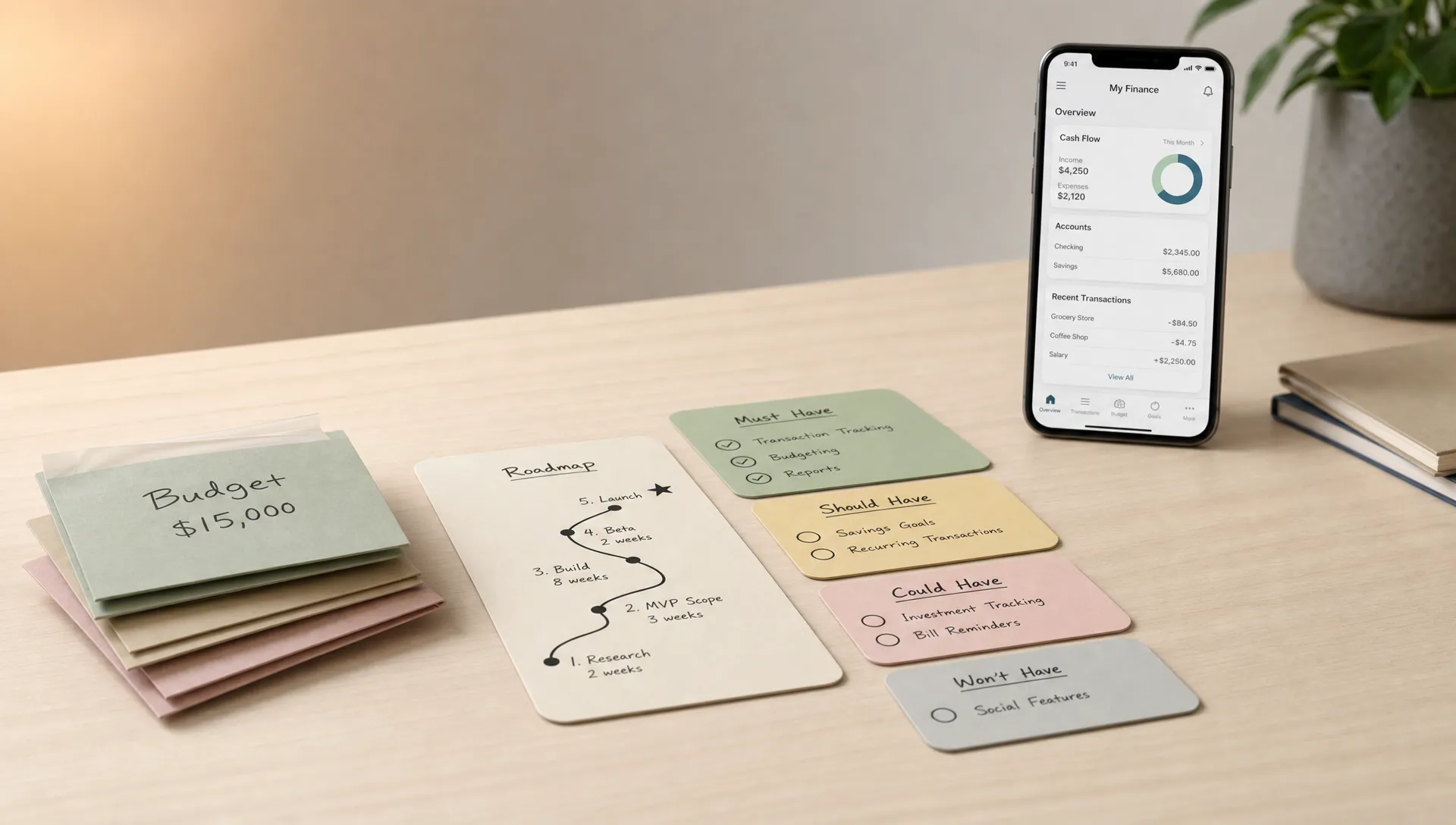

Founders usually ask about iOS app development costs in one of two moments: right after they get excited about an idea, or right after they receive a quote that feels either too high or suspiciously low.
Both reactions are normal. An iOS app is not priced like a website template or a one-time design task. The budget depends on what the app must do, how polished it needs to feel, what data it stores, whether it needs a backend, and how much risk you want to remove before launch.
If you are a non-technical founder, local business owner, or early-stage startup team, the goal is not to find the cheapest possible developer. The goal is to budget enough to launch a useful first version without paying for features your users may not need yet.
The short answer: what should founders budget for an iOS app?
In 2026, a realistic budget for a custom iOS app MVP often starts around $5000 to $10,000+ when the product needs user accounts, multiple screens, a backend, basic analytics, testing, and App Store launch support.
Very simple apps can cost less. More complex apps with payments, subscriptions, messaging, maps, AI features, offline sync, admin dashboards, or multiple user roles can move into the $15,000–$30,000+ range.
These are planning ranges, not fixed quotes. A clear scope can lower the estimate. Vague requirements, changing priorities, and hidden backend work usually increase it.
| iOS app type | Typical planning budget | Best fit | Why the cost changes |
|---|---|---|---|
| Simple prototype or internal tool | $3,500–$7,000+ | Testing a workflow, replacing a paper process, validating a small idea | Limited screens, little custom design, minimal backend |
| Focused MVP | $5,000–$15,000+ | Startup founders, service businesses, early product launches | Custom UI, user accounts, core workflows, backend data, App Store release |
| Polished startup MVP | $7,000–$20,000+ | Funded startups or apps with stronger design and product expectations | More flows, integrations, analytics, payments, admin tools, QA depth |
| Complex platform app | $25,000+ | Marketplaces, social apps, regulated data products, real-time apps | Multiple user types, scale concerns, complex backend, compliance, high polish |
A useful way to think about your first budget is this: you are not paying for an app idea, you are paying to reduce product, technical, and launch risk. The more unknowns your app has, the more time your developer or team needs to clarify, build, test, and iterate.
What actually goes into an iOS app budget?
Many founders only budget for coding. That is a common mistake. Code is a major part of the cost, but a launch-ready iOS app also needs planning, design, testing, release preparation, and post-launch support.
| Budget item | What it includes | Typical planning range |
|---|---|---|
| Product discovery | Clarifying users, core workflows, feature priorities, technical approach | $500–$1,000 |
| UX and UI design | Wireframes, visual design, clickable prototypes, design revisions | $800–$4,000 |
| iOS development | Swift, SwiftUI, native iOS features, front-end logic, device behavior | $3,000–$18,000+ |
| Backend development | Database, APIs, authentication, cloud logic, admin operations | $1,500–$14,000+ |
| Integrations | Payments, maps, notifications, email, SMS, CRM, AI APIs, analytics | $600–$7,000+ |
| QA and testing | Bug fixing, device testing, edge cases, regression checks | $500–$4,500 |
| App Store launch | App metadata, screenshots, review preparation, release support | $200–$1,200 |
| Maintenance | Bug fixes, OS updates, dependency updates, improvements | Often 15% to 25% of build cost per year |
There is also the Apple Developer Program fee. Apple lists the standard program fee as $99 per membership year on its Developer Program enrollment page, although availability and local currency details can vary by region.
That fee is small compared with the build itself, but it is not the only launch consideration. You also need time for App Store review, privacy details, screenshots, app descriptions, support URLs, and compliance with Apple rules.
Why iOS app development costs vary so much
Two founders can both say they need a simple iOS app and be describing completely different products. One might mean a five-screen appointment app for a local business. Another might mean a social network with profiles, messaging, media uploads, notifications, and payments.
The word simple is not a technical specification. Cost comes from the details.
Scope is the biggest cost driver
Every feature has hidden work behind it. A login screen is not just a login screen. It can involve password rules, account recovery, authentication storage, error states, onboarding, privacy flows, and backend security.
The same is true for payments, booking calendars, messaging, search, file uploads, and user profiles. A feature that sounds small in conversation can become several days or weeks of design, development, and testing.
That is why strong MVP scoping matters. If you have not defined the smallest version that proves demand, start there before requesting final estimates. For a practical framework, this guide on building a mobile app that users want explains how to narrow an idea into a launchable first version.
Design expectations affect the budget
A basic app with standard iOS components costs less than a highly custom interface with animations, unique navigation, custom illustrations, and polished microinteractions.
Good design is not just decoration. It reduces confusion, improves activation, and helps users complete the job they opened the app for. But there is a difference between clean MVP design and premium consumer-app polish. Founders should decide which level is necessary for the first release.
If your app is for internal operations, speed and clarity may matter more than brand expression. If your app is consumer-facing and competes in a crowded category, polish may be part of the product experience.
Backend complexity can cost as much as the app itself
Some iOS apps are mostly front-end experiences. Others are simply the user-facing layer of a much larger backend system.
Backend work may include user accounts, permissions, databases, APIs, file storage, business logic, notifications, analytics, payment records, subscription status, and admin access. If your app needs real-time data, location tracking, offline sync, or multiple user roles, the backend estimate can grow quickly.
For small business owners replacing paper processes, backend planning is especially important. The real value may not be the mobile screens. It may be the data structure that lets jobs, customers, invoices, forms, or schedules flow cleanly through the business.
App Store requirements add time
Submitting to the App Store is usually straightforward when the app is built properly, but it is not just a button click. Apple expects apps to meet privacy, safety, design, performance, and payment rules. The App Review Guidelines are worth understanding before you commit to features like subscriptions, user-generated content, account deletion, or health-related claims.
A developer who has shipped apps before will usually account for review preparation, metadata, screenshots, privacy labels, and possible review feedback. A very low quote may ignore this work entirely.
Native iOS vs cross-platform: how platform choice affects cost
If you only need iPhone users at launch, native iOS development can be the cleanest path. Native apps are typically built with Apple technologies like Swift and SwiftUI, and they can be a strong fit when the product relies heavily on Apple-specific features, performance, or a very polished iOS experience.
If you need both iOS and Android, cross-platform development can reduce duplicated work because much of the interface and business logic can be shared across platforms. That does not mean the second platform is free. You still need testing, platform-specific adjustments, store setup, and device checks. But it can be more efficient than building two completely separate apps from scratch.
| Situation | Budget-smart choice | Reason |
|---|---|---|
| Your early users are mostly on iPhone | iOS-first MVP | Lower initial scope, faster validation, more focus |
| You serve a broad local customer base | Cross-platform MVP | Reaches iOS and Android users without two separate codebases |
| Your app depends on Apple-only features | Native iOS | Better fit for deep platform integration |
| You are testing demand with limited funds | One platform first | Reduces build cost and makes feedback easier to interpret |
| You already proved demand and need reach | iOS plus Android | Broader market coverage may justify the extra budget |
The wrong move is building for every platform before you know whether users care. The right move is choosing the platform strategy that matches your audience and funding stage.
Hidden costs founders often forget
The initial build is only part of the total cost of ownership. Even a well-built MVP needs supporting tools, services, and follow-up work.
| Hidden cost | Why it matters | How to budget for it |
|---|---|---|
| Hosting and cloud services | Stores data, runs APIs, sends notifications, handles files | Start small, then scale with usage |
| Analytics | Shows where users drop off and what features they use | Include basic analytics in the MVP |
| Privacy and legal pages | Required for many apps, especially those collecting user data | Budget for legal review when risk is high |
| Customer support | Users need help with accounts, payments, and bugs | Plan a support email and process before launch |
| Content and assets | App Store screenshots, descriptions, onboarding copy, icons | Assign ownership early |
| Bug fixes after launch | Real users find issues internal testing misses | Reserve a post-launch support budget |
| OS and dependency updates | iOS changes over time, libraries need maintenance | Plan ongoing maintenance, not one-time delivery |
Founders who skip these items often feel surprised after launch. The better approach is to treat the app as a product, not a file delivery.
A founder-friendly way to plan your iOS app budget
The best budget starts with the business outcome. Do not begin with a list of every feature you can imagine. Begin with the user action that proves the app deserves to exist.
For example, a field service app might need technicians to receive jobs, update job status, capture photos, and submit notes. A fitness MVP might need onboarding, workout plans, progress tracking, and reminders. A study app might need account creation, content access, progress tracking, and a basic AI or recommendation workflow.
Once that core outcome is clear, estimate the work around it.
| Budget category | Suggested share of MVP budget | Notes |
|---|---|---|
| Product planning | 5% to 10% | Keeps the build focused and prevents expensive assumptions |
| UX and UI design | 10% to 20% | Helps non-technical founders see the app before development |
| Development | 50% to 65% | Usually the largest part of the budget |
| QA and launch | 10% to 15% | Reduces embarrassing bugs and App Store delays |
| Contingency | 10% to 20% | Covers unknowns, changes, and post-launch fixes |
A contingency budget is not a waste. It is protection. If you budget every dollar for the initial scope, any change, bug, or integration issue becomes a crisis.
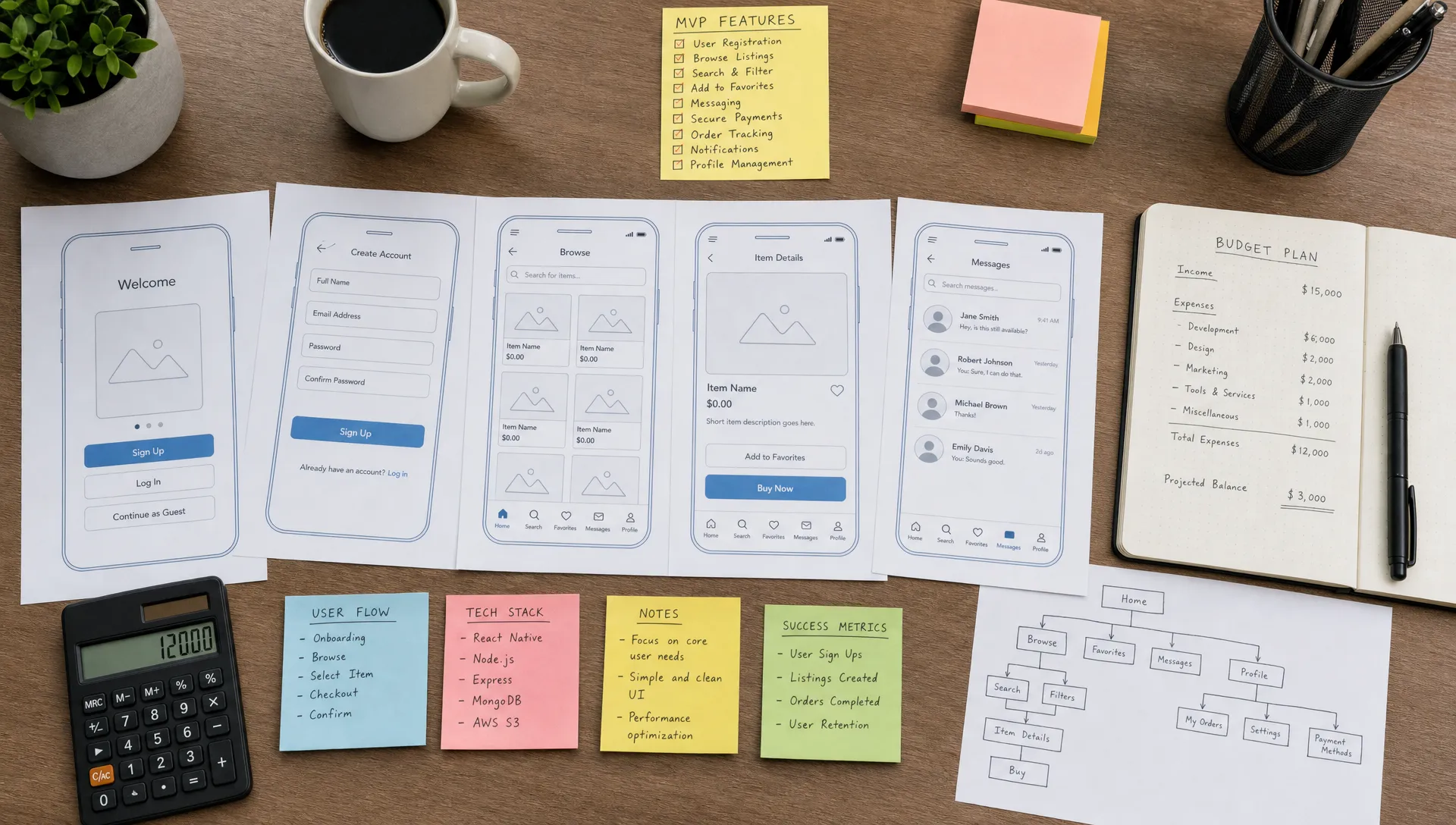
Sample iOS app budgets by founder scenario
These examples are not quotes, but they can help you understand how scope affects cost.
| Founder scenario | Possible MVP scope | Planning budget |
|---|---|---|
| Local service business moving off paper | Customer list, job forms, photo uploads, technician notes, simple admin access | $4,000–$12,000 |
| Appointment or booking app | User accounts, service listings, availability, bookings, notifications, basic admin | $7,000–$18,000 |
| Fitness or habit tracking app | Onboarding, plans, progress tracking, reminders, profile, analytics | $5,000–$22,000 |
| Study or learning app | Content library, user progress, quizzes, recommendations, subscription option | $10,000–$28,000 |
| Marketplace MVP | Buyer and seller accounts, listings, search, messaging, payments, admin tools | $20,000–$45,000+ |
| Social or community app | Profiles, feed, media uploads, comments, notifications, moderation tools | $22,000–$50,000+ |
The jump from $10,000 to $30,000 is often not about prettier screens. It is usually about more roles, more edge cases, more backend rules, more testing, and more responsibility.
How hiring model changes iOS app development costs
Your cost also depends on who builds the app. A solo freelancer, small specialist team, agency, offshore team, and in-house employee all have different economics.
A lower hourly rate does not always mean a lower total cost. An experienced developer who scopes tightly, writes maintainable code, and avoids rework can be cheaper in practice than a low-cost team that needs constant correction.
| Hiring model | Typical cost profile | Best fit | Watch out for |
|---|---|---|---|
| Freelance mobile app developer | Lower overhead, direct communication | Focused MVPs, founder-led products, small business apps | Make sure product thinking and communication are strong |
| Small development team | Moderate cost, more capacity | Apps needing design, backend, and mobile support | Coordination quality matters |
| Agency | Higher cost, broader services | Funded startups, complex design, larger launches | You may pay for layers you do not need yet |
| In-house hire | High long-term cost | Companies with ongoing product roadmap | Recruiting and management take time |
| Very low-cost contractor | Low upfront quote | Narrow tasks with clear specs | Rework, quality, and maintenance risk |
If you are comparing options, this article on choosing a mobile app developer for your startup gives a deeper breakdown of what to look for beyond the quote.
Practical ways to reduce iOS app development costs
The best way to reduce cost is not to cut quality. It is to cut uncertainty and unnecessary scope.
-
Start with one primary user type instead of building for every possible user on day one.
-
Reduce custom design where standard iOS patterns will work well.
-
Replace complex dashboards with simple admin workflows for the first version.
-
Use proven services for authentication, payments, notifications, hosting, and analytics when appropriate.
-
Build the core workflow before adding social features, gamification, referrals, or advanced personalization.
-
Choose iOS-first or cross-platform based on your real audience, not fear of missing out.
-
Finalize user flows before development starts so you avoid redesigning while coding.
A good MVP should feel small but complete. Users should be able to accomplish the main job without confusion, even if the app does not yet include every feature from the long-term vision.
Where founders should not cut corners
Some parts of an app are expensive to fix later. Saving money in the wrong place can lead to technical debt, poor reviews, or problems with user trust.
| Do not cut too much on | Why it matters |
|---|---|
| Data structure | You won’t see this decision get made, but a poor database model shows up later as slow, expensive rework. Ask how your developer is structuring data before approving a quote. |
| Authentication and security | Not something you’ll personally evaluate, but a corner cut here stays invisible until it fails - a breach or a locked-out user base. Worth asking directly how it’s handled. |
| Core UX | If users cannot complete the main task, the MVP will not validate anything |
| Testing | Bugs in payments, bookings, or saved data can be costly |
| App Store compliance | Rejections delay launch and can require redesign |
| Maintainable code | Cheap code can become expensive when you need updates or a second developer |
Clean code is not just a developer preference. For founders, it is a business asset because it keeps future changes from becoming unnecessarily painful.
Red flags when reviewing iOS app quotes
A quote is not automatically bad because it is high or low. It is risky when the reasoning is unclear.
Be careful if a proposal gives one flat number without explaining assumptions. You should know what is included, what is excluded, how revisions are handled, who owns the code, what happens after launch, and whether backend, design, QA, and App Store submission are included.
A very cheap quote for a complex app can mean the developer has misunderstood the scope, plans to use a template, or will skip testing and maintainability. A very expensive quote can be justified for complex products, but it should come with clear deliverables and a sensible phase plan.
For most founders, the best estimate is transparent. It explains tradeoffs, highlights risks, and helps you decide what to build now versus later.
Plan your iOS app budget around the MVP that matters
The smartest founders don’t only ask, how much does an iOS app cost? They ask, what’s the smallest version we can launch that proves users want this?
If you’re planning an iOS or cross-platform MVP, I can help you cut scope without cutting the product’s core value. I build mobile apps for founders and businesses that need clean execution, fast MVP delivery, and a practical path to launch.
You can see my work or book a consultation.