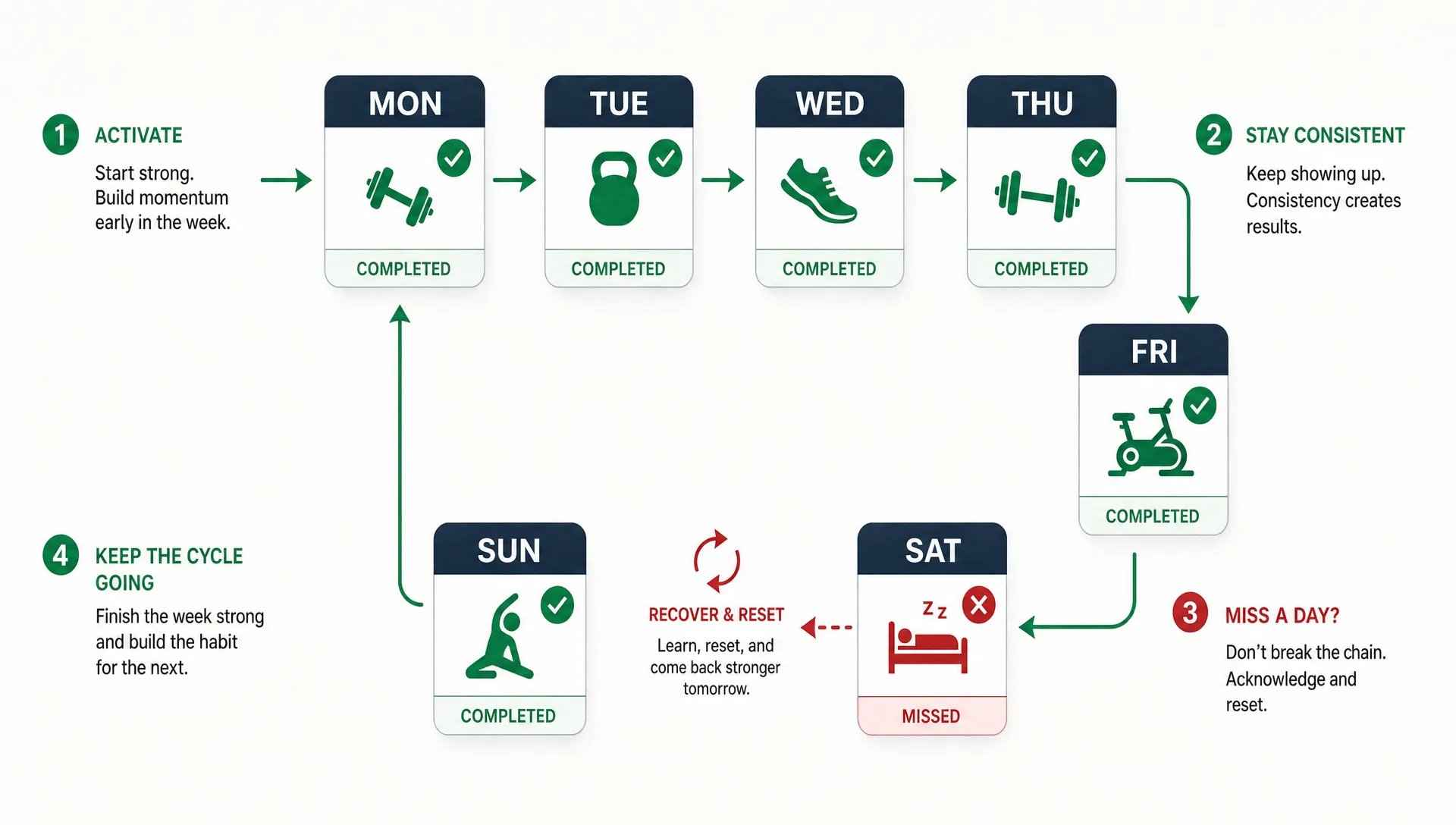

Planning an iOS workout app for retention starts before design mockups, workout videos or code. A user may download because the promise sounds useful, but they stay when the app helps them take the next workout with less friction than they would have on their own.
That matters because fitness apps are especially vulnerable to early drop-off. Users often install them when motivation is high, then disappear when life gets busy, soreness kicks in or the app feels like another task to manage. A retention-focused plan turns that pattern around by designing for repeat behavior from the first session.
For founders, this also keeps the MVP smaller. You do not need every possible fitness feature in version one. You need one clear workout loop that users can understand, complete and trust enough to repeat.
Define the workout behavior you want users to repeat
Retention is not the same as daily usage. A meditation app might need daily check-ins, but a strength training app may be healthy with three workouts per week. A running app might see heavier weekend use. A mobility app for desk workers may work best as a five-minute weekday routine.
Before planning features, define the behavior your iOS workout app is meant to create. A simple retention promise could be: the user always knows what workout to do next, can complete it without confusion and sees proof that they are improving.
Good retention planning starts with five product questions:
-
Who is the app for in version one?
-
What workout should that user complete first?
-
How often should they return for the product to be valuable?
-
What progress will they notice before physical results appear?
-
What usually causes this user to stop exercising?
A beginner strength app, for example, should not retain users the same way as a marathon training app. Beginners need confidence, simple instructions and recovery from missed days. Experienced lifters may care more about progressive overload, exercise substitutions, history and performance trends.
This focus prevents the common MVP mistake of building a generic workout library. A large library can look impressive in a demo, but it often gives new users more decisions to make. Retention improves when the app reduces decision fatigue and helps the user act quickly.
| Planning decision | Retention question | Founder takeaway |
|---|---|---|
| Target user | Who needs this exact workout experience? | Start with one clear segment instead of everyone interested in fitness. |
| Workout frequency | How often should the user return? | Measure retention against the expected workout rhythm, not random daily opens. |
| First success moment | What makes the user feel they can continue? | Design the first session around confidence, clarity and completion. |
| Main drop-off reason | Why would the user quit in week one? | Build features that remove that obstacle before adding extras. |
Treat the first completed workout as activation
For a workout app, activation should not be account creation. A user is activated when they complete the first meaningful action that proves the app can help them. In most cases, that means finishing or logging the first workout.
Your onboarding should guide users toward that moment as quickly as possible. Ask only for information that changes the first plan: goal, experience level, available equipment, session length, injuries or limitations if relevant and preferred schedule. Everything else can wait until the user has received value.
A strong first session usually has a few qualities. It should feel achievable, explain what to do without long reading, fit the user’s stated time limit and end with a clear next step. The app should not simply say workout complete. It should show what the user accomplished and when they should return.
If you are still deciding what belongs in the first release, this guide to core fitness app features is a useful companion. For retention planning, the key is to judge each feature by whether it moves the user toward the next workout.
Build a weekly retention loop, not a collection of screens
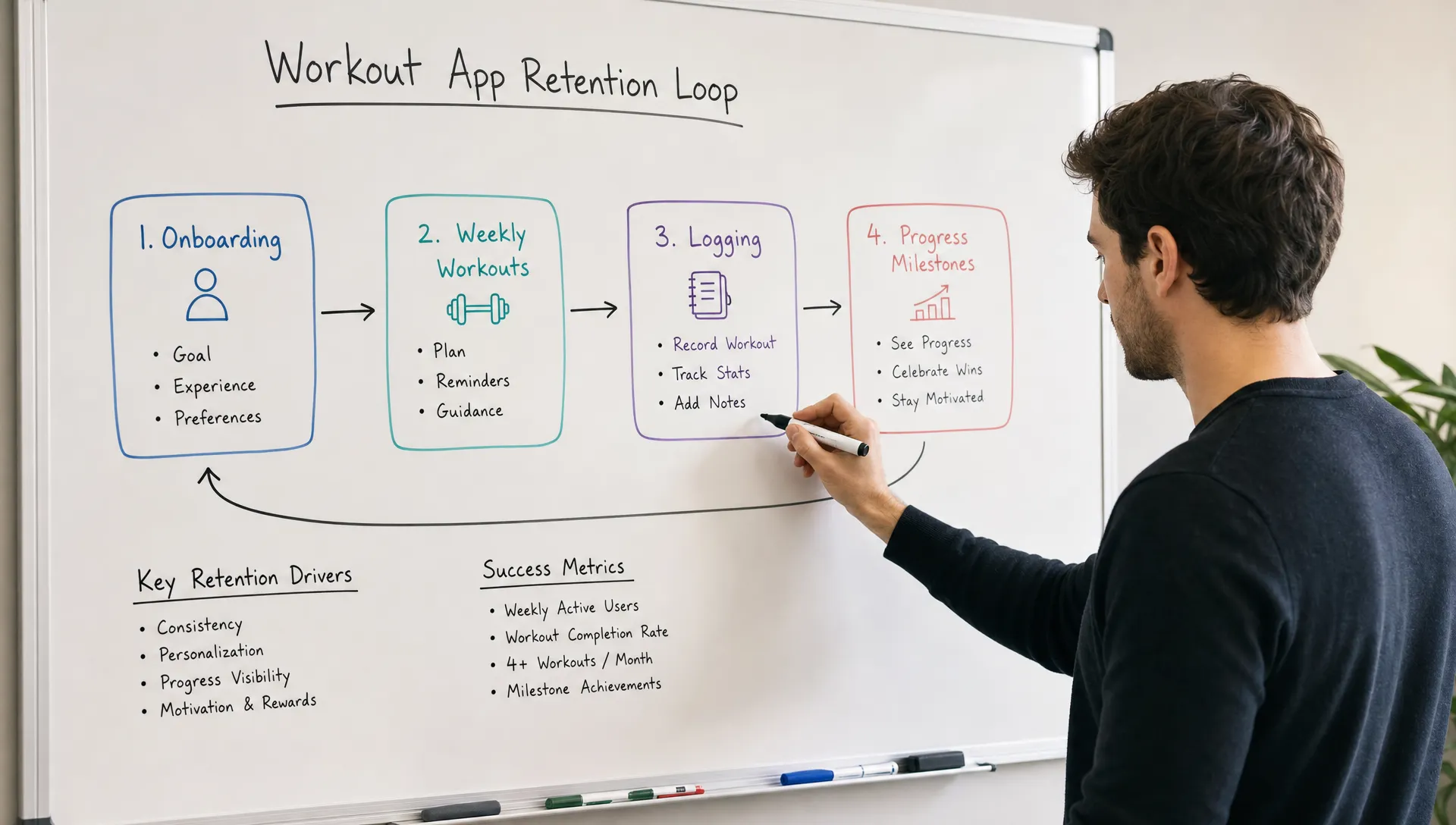
A retention loop is the repeatable cycle that brings a user back. In a workout app, the loop often begins with a plan, continues with a workout and ends with visible progress that motivates the next session.
| Loop stage | What the user experiences | Example in an iOS workout app |
|---|---|---|
| Trigger | A reason to return at the right time | A scheduled reminder for leg day or a prompt after a rest day. |
| Action | A workout that is easy to start | The next planned session appears on the home screen with one primary button. |
| Reward | Proof that the effort counted | The app shows completed sets, time trained, personal bests or consistency. |
| Investment | Data that makes the next session better | The user logs difficulty, saves a favorite or records weights used. |
The investment stage is easy to overlook, but it is what makes the app better with use. If a user records dumbbell weight today, the next workout can suggest a realistic starting point. If they rate a session as too hard, the plan can adjust intensity. Even a simple version of this feedback loop can make the app feel personal without requiring complex AI.
Retention also depends on recovery from missed workouts. Many fitness products overvalue perfect streaks. A streak can motivate, but it can also make users feel they failed after one busy day. A more forgiving design might preserve momentum by saying the user can get back on track today, then adjusting the plan instead of forcing them to restart.
The same idea applies beyond fitness. Apps that work like everyday companions need fast core actions, useful history and reminders that respect the user’s context. This breakdown of companion app features that keep users coming back covers those patterns in more detail.
Choose MVP features by retention impact
Founders often ask what features an iOS workout app needs. A better question is which features protect the retention loop. If a feature does not help the user start, finish, understand or repeat workouts, it probably belongs in a later version.
| MVP feature | Retention role | Practical version one approach |
|---|---|---|
| Goal-based onboarding | Creates a relevant first plan | Ask 4 to 6 questions that directly affect workout recommendations. |
| Today screen | Reduces decision fatigue | Show the next workout, expected duration and a clear start button. |
| Workout player or logger | Supports completion | Include timers, exercise instructions, set logging and simple navigation. |
| Progress view | Gives short-term motivation | Show completed workouts, weekly consistency and personal records. |
| Smart reminders | Brings users back at the right time | Let users choose workout days and notification times. |
| Plan adjustment | Prevents abandonment after friction | Allow skipped days, easier alternatives or rescheduling. |
| Favorites or substitutions | Makes the app fit real life | Let users swap exercises based on equipment or preference. |
Notice what is not required in the first version: a full social network, creator marketplace, advanced meal planning, long video library or complex gamification system. Those can be valuable later, but they should not distract from proving that users return for workouts.
Plan iOS-specific retention carefully
iOS gives workout apps useful retention opportunities, but each one should serve the product rather than decorate it.
HealthKit can reduce manual entry and make progress feel more complete, especially when steps, active energy, workouts or heart rate data matter to the experience. Apple’s HealthKit documentation makes clear that apps request permission for specific health data types. That means your product plan should define exactly why each data type is needed and how it improves the user’s workout experience.
Apple Watch support can be powerful for workout tracking, timers and quick in-session feedback. It can also add meaningful scope. For many MVPs, the iPhone experience should prove retention first, then Watch support can follow once you know users value the workout flow.
Push notifications and local reminders need restraint. The best reminder is expected, timely and easy to act on. The worst reminder is a generic guilt message at a bad time. Let users choose preferred days and times, then use notification copy that helps them resume the plan rather than feel judged.
Widgets and Live Activities can also support retention when the workout is time-sensitive. A widget can show the next workout. A Live Activity can help during a timed session. Neither should be added just because iOS supports it. Tie each iOS surface to a behavior you want repeated.
Privacy deserves early planning. Fitness data can be sensitive even when the product is not medical. Apple’s App Store privacy details require developers to disclose data collection practices, and users increasingly notice whether a health app feels trustworthy. If your workout product overlaps with clinical care, rehabilitation, employer wellness, protected health information or EU user data, plan HIPAA or GDPR requirements before development starts.
Make progress visible before physical results appear
Most users will not see visible body changes after two workouts. If your app waits for long-term transformation photos or weight loss to show progress, it leaves a motivation gap during the most fragile period.
A retention-focused workout app shows progress in smaller units. Completion is progress. Consistency is progress. Using better form, lifting the same weight with less difficulty, training for more total minutes or returning after a missed session all count.
Design your progress view around evidence the user can understand quickly. A beginner should not need to interpret a complicated performance dashboard. A simple weekly summary might be more effective: two workouts completed, 42 minutes trained, one exercise improved and next session scheduled for Thursday.
This is also where personalization becomes practical. If the app remembers that the user struggles with push-ups, it can suggest an easier variation next time. If the user consistently completes 20-minute workouts but skips 45-minute ones, the app can recommend shorter sessions. Retention improves when the product responds to real behavior.
Measure retention with events, not opinions
Retention planning should include analytics before launch. You do not need a complex data warehouse for an MVP, but you do need to know whether people are completing the loop.
Track events that reflect user value, not vanity activity. App opens matter less than workout starts and completions. Account creation matters less than whether the user returns for the second planned session.
| Metric | What it tells you | Example event to track |
|---|---|---|
| Activation rate | Whether onboarding leads to first value | First workout completed. |
| Day 1 retention | Whether users return after initial curiosity | User opens app or starts a workout the next day. |
| Day 7 retention | Whether the first week loop works | User completes another planned workout within a week. |
| Workout completion rate | Whether workouts feel achievable | Workout started compared with workout completed. |
| Plan adherence | Whether the schedule matches real life | Planned sessions completed, skipped or rescheduled. |
| Reminder opt-in rate | Whether users trust notifications | Notifications enabled after onboarding. |
| Recovery rate | Whether missed users can return | User completes a workout after skipping a planned session. |
Use cohort analysis when possible. Users who joined in January may behave differently from users who joined after a pricing change, onboarding change or new workout plan. Without cohort tracking, you can mistake one loud group for the whole product.
For non-technical founders, the practical takeaway is simple: define the key events with your developer before build starts. It is much easier to include clean analytics in the MVP than to retrofit tracking after launch.
Run retention experiments after launch
The first release should answer one question: do users come back to complete workouts? After that, every product iteration should improve one part of the loop.
Start with activation. If users install the app but do not complete the first workout, fix onboarding and the first session before adding advanced features. If users complete one workout but do not return, test reminders, schedule clarity and the progress screen. If users return for a week but fade after a missed day, improve plan recovery.
Avoid changing everything at once. A useful four-week post-launch plan might focus on first workout completion, then second workout return, then reminder timing, then recovery after missed workouts. Each experiment should have one hypothesis and one metric.
This approach also helps with budget control. Instead of funding a long feature list upfront, you build the smallest version that can produce real retention signals, then invest in what users prove they need.
Need help planning an iOS workout app?
Retention is much easier to design before development than to patch after launch. If you want to turn a workout app idea into a focused MVP, I build iOS and Android apps for startups with an emphasis on clean code, user experience and fast delivery.
Bring your target user, workout concept and launch goals to a consultation call, then shape the MVP around the retention loop that matters most: helping users come back for the next workout. You can see my work or book a consultation.