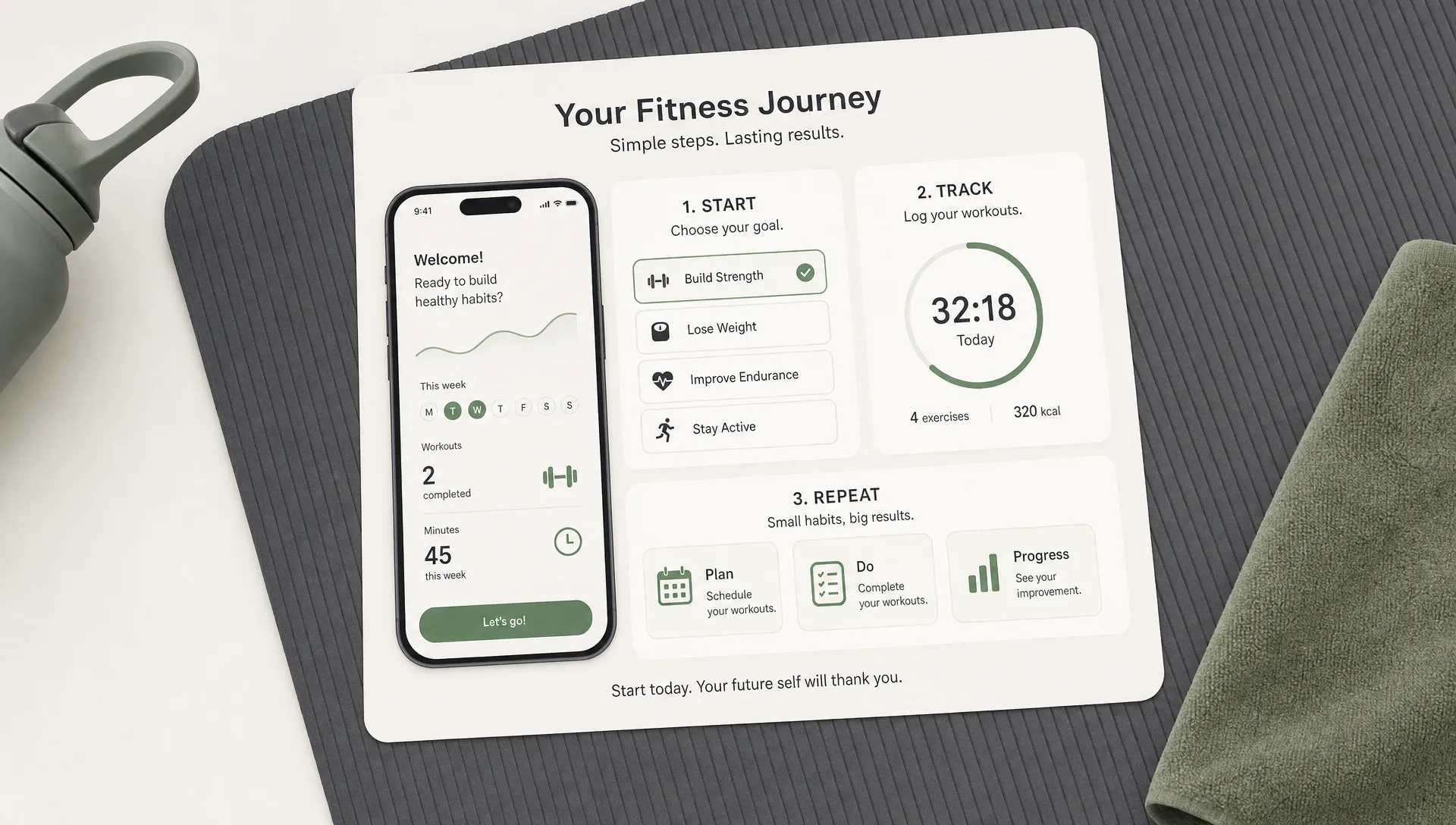

A fitness app does not become engaging because it has more screens, more exercises or more notifications. It becomes engaging when the product helps users repeat one valuable behavior, then makes that behavior feel easier the next time.
That is why Flutter can be a strong choice for early-stage fitness products. You can build for iOS and Android from one codebase, keep the user experience consistent across devices and ship an MVP quickly enough to learn from real workouts instead of debating features for months. The harder part is deciding what to build first.
If you are a founder, gym owner, coach or wellness startup planning a Flutter fitness app, the goal is not to copy Strava, MyFitnessPal or Nike Training Club. The goal is to design a focused habit loop, validate it with users and build the technical foundation so the app can grow without becoming messy.
Start with the behavior you want users to repeat
Before picking packages, writing widgets or designing dashboards, define the one behavior that proves your app is working.
For a workout app, that behavior may be completing three sessions per week. For a personal training companion, it may be checking today’s plan and logging progress after each session. For a habit-based wellness app, it may be opening the app every morning to review a simple routine.
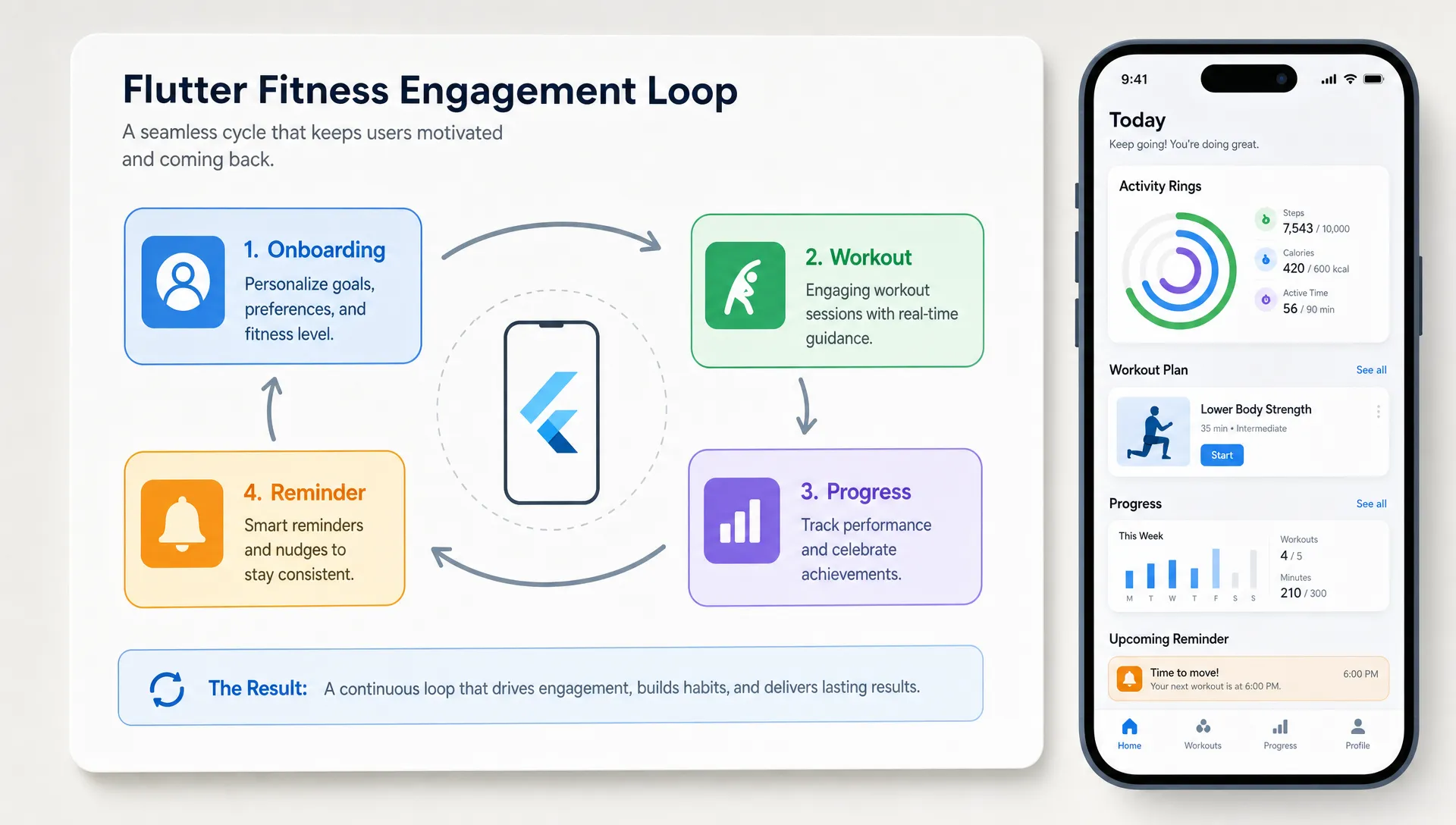
A good engagement loop usually has four parts:
| Loop stage | What the user needs | Example in a fitness app |
|---|---|---|
| Trigger | A reason to come back | Morning reminder, coach note or scheduled workout |
| Action | A low-friction task | Start workout, log weight or mark a habit complete |
| Reward | Visible progress | Streak, improved score, completed plan or personal best |
| Next step | A clear reason to return | Tomorrow’s workout, recovery tip or weekly goal |
This matters because many apps confuse activity with engagement. A user who opens the app once, browses 80 workouts and leaves is less valuable than a user who starts one simple routine and returns two days later. When you work with a fitness app developer, this loop should shape the MVP scope, data model and notification strategy from the beginning.
Why Flutter works well for fitness MVPs
Flutter is useful for fitness products because the same team can build a polished experience for both major mobile platforms without maintaining two separate native apps. That can reduce duplicated effort in common areas like onboarding, workout libraries, progress screens, subscription flows and admin-connected content updates.
For startups, the practical advantage is speed. If you need to test whether users will actually follow your training plan, book sessions or track progress, a cross-platform MVP often gives you a faster path to real feedback. If you are still deciding whether Flutter is the right fit for your product, this breakdown of when a Flutter mobile app is the right choice covers the tradeoffs in more detail.
Flutter is especially suitable when your app needs:
- A consistent iOS and Android experience
- Custom UI for workout cards, timers and progress charts
- Fast iteration across product experiments
- Integration with a backend, payments or user accounts
- A maintainable codebase for future features
It may not be the best first choice if your product depends heavily on advanced native sensor processing, complex smartwatch features or deep platform-specific health integrations from day one. Those can still be built, but the planning needs to be more careful.
Define a lean MVP, not a full fitness platform
Most fitness apps fail at the planning stage because the first version tries to include every possible feature: workout videos, meal plans, chat, social feeds, wearable sync, leaderboards, analytics, subscriptions and AI coaching.
A better MVP answers one question: can this product help a specific user complete a specific fitness behavior repeatedly?
For many founders, the first version only needs five core areas:
| MVP area | Purpose | Keep it simple by |
|---|---|---|
| Onboarding | Understand the user’s goal | Ask only what changes the plan |
| Plan or workout library | Give users something to do | Start with curated content, not infinite choice |
| Workout experience | Help users complete a session | Include timer, steps, sets or completion controls |
| Progress tracking | Show that effort is adding up | Track a few meaningful metrics |
| Reminders | Bring users back at the right time | Let users choose schedule and frequency |
This is also where a fitness app developer can help separate features that sound impressive from features that support retention. For a deeper feature-by-feature breakdown, you can compare your roadmap with these fitness app features for 2026, then decide what belongs in your MVP and what can wait.
Design onboarding around momentum
Onboarding is not a form. It is the first workout before the workout.
The best onboarding flows collect enough information to personalize the experience but avoid asking so many questions that the user quits before reaching value. For a fitness app, useful onboarding inputs might include goal, current level, preferred workout days, available equipment and session length.
Do not ask for height, weight, injuries, dietary preferences, wearable permissions, notification permissions and payment details all at once unless each answer immediately improves the experience. Users are more willing to share information after the app has earned trust.
A strong onboarding flow should end with a clear first action. Instead of dropping users on a blank dashboard, show “Today’s 18-minute strength session” or “Start your first mobility check-in.” The user should know exactly what to do next.
Build the workout experience for completion
In fitness apps, engagement depends on completion more than browsing. A user who finishes a workout builds confidence. A user who abandons a confusing workout may not return.
The workout screen should remove friction during movement. Text should be readable at a glance. Controls should be large enough to tap quickly. Timers should be obvious. If the app includes exercise instructions, they should be short and scannable, with deeper details available only when needed.
For Flutter, this means paying attention to performance and state. Workout timers, progress indicators and step transitions should feel smooth. The official Flutter performance best practices are worth reviewing early, especially if your app uses animations, images, video previews or real-time updates.
The main workout flow should also handle interruptions gracefully. People train in gyms, garages, parks and living rooms. They lose connection, lock their phones, receive calls and pause between sets. A reliable Flutter fitness app should save progress locally where appropriate, then sync when the connection returns.
Use progress tracking without making users feel judged
Progress is one of the strongest reasons users come back, but poorly designed tracking can make people feel behind. Fitness motivation is personal. Some users want numbers, charts and personal records. Others need encouragement, consistency tracking or recovery-focused feedback.
A useful progress system starts with the app’s core promise. If your app helps beginners build consistency, track completed sessions and weekly routine adherence. If it helps strength athletes, track sets, reps, load and personal records. If it supports mobility, track range, pain-free movement or check-in scores.
Avoid vanity dashboards that show data without context. A chart is more engaging when it answers a user’s real question: “Am I improving?” or “What should I do next?”
Small details matter here. Celebrate effort without exaggeration. Show missed days without shame. Let users restart after a break. Streaks can work, but they should not punish real life so aggressively that one missed day destroys motivation.
Personalize the app in ways users can feel
Personalization does not need to mean complex AI in version one. Often, the most effective personalization comes from simple rules applied consistently.
For example, the app can adjust recommendations based on workout history, preferred days, chosen goal or skipped sessions. If a user usually trains for 20 minutes at home, do not keep pushing 60-minute gym programs. If a user misses two scheduled workouts, offer a lighter restart instead of pretending nothing happened.
This kind of personalization requires clean data modeling. You need to store user goals, workout history, completion status and preferences in a way that supports future logic. A rushed build can still look good on launch day, but if the underlying structure is messy, every engagement feature becomes harder to add later.
This is one reason founders often benefit from hiring a fitness app developer before the UI is fully designed. The product strategy and technical structure should be planned together, especially when progress tracking, content recommendations and reminders depend on the same data.
Make reminders helpful, not annoying
Push notifications are often treated as a retention shortcut. They are not. A notification only works when it connects to something the user already values.
A generic “Time to work out!” message may be ignored after a few days. A specific reminder like “Your 20-minute upper body session is ready” is more useful because it reduces decision-making. Better still, let users choose preferred workout days and reminder times during onboarding or after they complete their first session.
Good notification rules are usually quiet and contextual:
- Remind users before a scheduled session, not randomly
- Avoid sending multiple reminders after a user has already completed the task
- Use reactivation messages carefully after inactivity
- Give users control over frequency
- Match the tone to the brand and user goal
If your app supports coaching, reminders can also come from human context, such as a trainer assigning a workout or reviewing progress. That can be more engaging than automated motivation, as long as expectations are clear.
Plan the Flutter architecture for iteration
A fitness MVP needs to move fast, but it should not be disposable. If the first version works, you will want to add subscriptions, content management, analytics, coaching tools, wearable integrations or new workout types. The architecture should leave room for that.
A clean Flutter build usually separates UI, business logic, data models and services. The exact tools depend on the project, but the principle is the same: avoid putting everything inside screens. Workout completion logic, plan generation, authentication, sync and notification scheduling should be structured so they can be tested and changed without breaking unrelated parts of the app.
Backend choices depend on the product. Some MVPs can start with Firebase or Supabase. Others need a custom backend because of complex permissions, coaching workflows, reporting, payments or compliance requirements. If the app handles sensitive health information, privacy and security planning should happen before development starts, not after launch.
For health-related products, be careful with legal and compliance assumptions. HIPAA in the United States and GDPR in Europe may apply depending on what data you collect, who uses the app and how the service is offered. A developer can help implement secure patterns, but you should also get proper legal guidance for your business model.
Measure engagement from the first release
You cannot improve engagement if you only track downloads. A Flutter fitness app should measure the actions that connect to user success.
Useful early metrics include:
| Metric | What it tells you | Example goal |
|---|---|---|
| Activation rate | Whether onboarding leads to value | User starts first workout |
| Workout completion rate | Whether sessions are usable | User finishes planned session |
| Day 7 retention | Whether users return after the first week | User completes another action within 7 days |
| Reminder opt-in rate | Whether users trust the app | User enables workout reminders |
| Plan adherence | Whether the routine fits real life | User completes planned weekly sessions |
Analytics should support decisions, not become noise. If users start workouts but do not finish, inspect the workout flow. If users finish once but never return, improve the next-step prompt and reminder timing. If users browse plans but never start, reduce choice and recommend one clear path.
This is where product and development need to stay connected after launch. The first release should create learning. The second release should respond to that learning.
Common mistakes that hurt fitness app engagement
A common mistake is building too much content before proving the core loop. A large workout library sounds valuable, but too much choice can delay action. Curation is often more engaging than volume, especially for beginners.
Another mistake is copying consumer fitness apps without considering your audience. A local gym app, personal trainer app, corporate wellness app and physical therapy companion have different user expectations. The same leaderboard that motivates one group may discourage another.
Performance is another retention issue. If timers lag, videos load slowly or progress disappears after a connection drop, users lose trust. Fitness apps are used in active situations, so reliability matters more than decorative UI.
Finally, many teams delay monetization and retention planning until after development. If your business model depends on subscriptions, coaching plans or paid programs, the MVP should be designed around that path early. You do not need every pricing experiment in version one, but you do need a user journey that can support revenue later.
A practical build roadmap
A focused Flutter fitness app can be planned in stages. The exact timeline depends on complexity, content, integrations and compliance needs, but the sequence should stay grounded in user behavior.
Start with discovery. Define the audience, core promise, repeat behavior and MVP scope. Then create a clickable prototype to test the user journey before development. Once the flow is clear, build the first version with the smallest feature set that can deliver the core outcome.
After that, run a private beta with real users. Watch where they hesitate, where they quit and what they ask for repeatedly. Post-launch, use analytics and feedback to improve onboarding, reminders, workout design and progress tracking.
If speed is a priority, the principles in this guide to developing a cross-platform mobile app faster apply directly to fitness products: reduce scope, reuse proven patterns and build only what the first release needs to validate demand.
Build a fitness app users want to return to
A successful Flutter fitness app is not just a set of workout screens. It is a product system built around motivation, completion, progress and return visits.
If you are planning a fitness MVP for iOS and Android, I can help you shape the scope, build a clean cross-platform app and move from idea to launch quickly. You can book a consultation call to discuss your app idea, technical requirements and the fastest path to a focused first release.