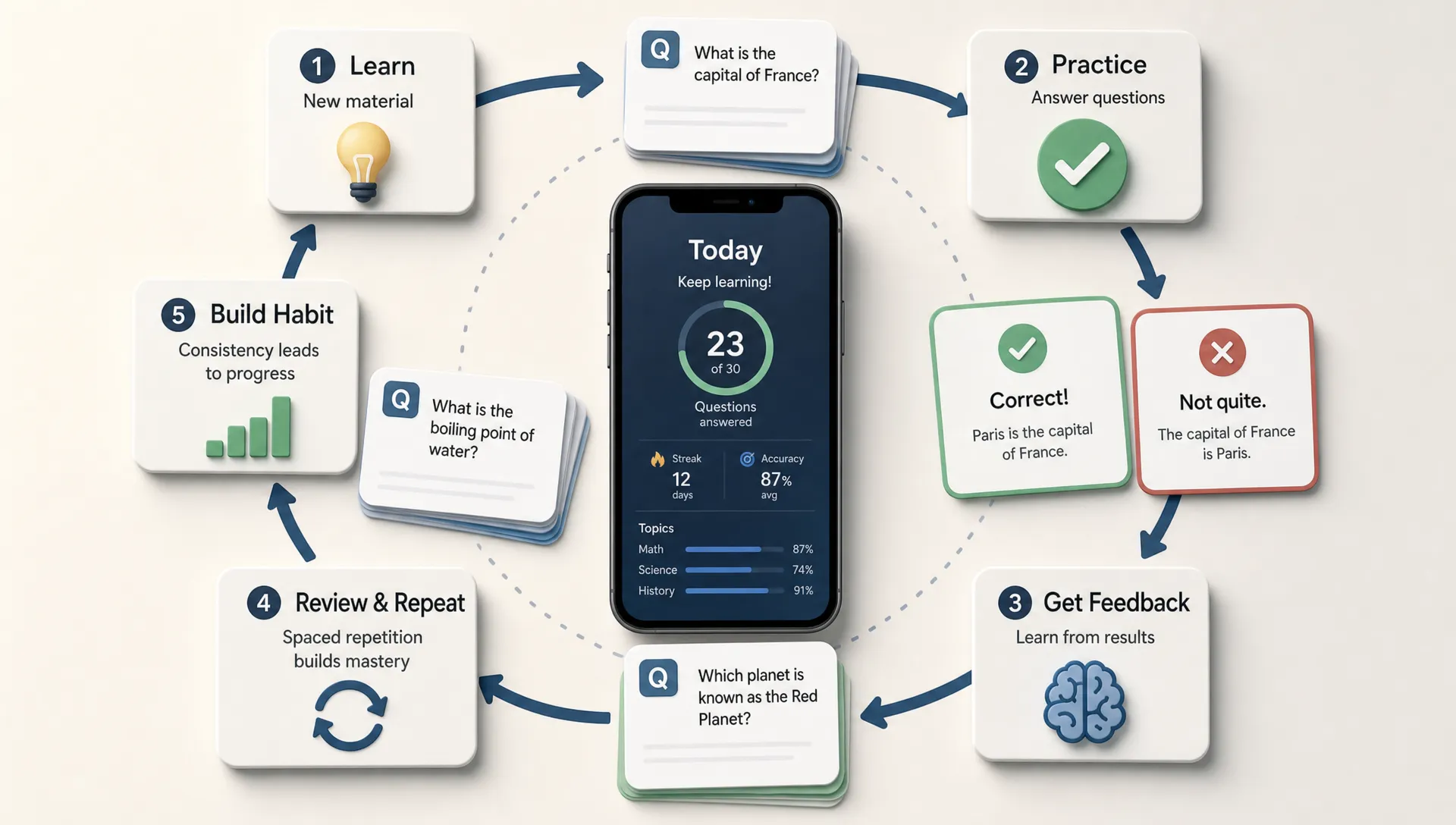

A study companion app is only useful if it helps students learn more effectively, not just spend more time inside an app. That is where AI can make a real difference. Used well, AI can adapt to the learner, turn study material into practice, explain difficult ideas in simpler ways and help students build consistent habits.
For founders, tutors, schools or education startups, the opportunity is not to add AI for the sake of it. The opportunity is to design a study companion app that solves a clear learning problem better than a static planner, note-taking app or flashcard tool.
Effectiveness starts with the learning outcome
Before choosing AI features, define what effective means for the student. In a study companion app, effectiveness usually comes down to a few measurable outcomes: better recall, fewer missed study sessions, faster understanding, improved confidence and a clearer path to the next exam or assignment.
That matters because AI can easily become a novelty feature. A chatbot that answers questions might feel impressive in a demo, but if it gives long explanations, encourages passive reading or distracts the student from active practice, it may not improve learning.
A stronger product starts with one focused promise. For example, help high school students prepare for biology exams, help language learners practice daily recall or help university students turn lecture notes into revision plans. Once the learning job is specific, AI can support it in targeted ways.
Personalization makes the app feel like a real companion
Most study apps treat users similarly. They might offer timers, reminders, folders and progress bars, but the student still has to decide what to study next. AI can make a study companion app more effective by personalizing that decision.
A useful AI layer can consider the student’s goals, exam date, available time, past mistakes and confidence level. Instead of saying, study chapter three, it can suggest a 25-minute session focused on weak concepts from chapter three, followed by a short quiz.
For an MVP, personalization does not need to be complex. The app can start with a simple onboarding flow that asks about subjects, deadlines, study schedule and confidence. Then AI can generate a first study plan and adjust it based on quiz results or completion patterns.
This creates a much better user experience than a blank dashboard. The student opens the app and immediately sees what to do next.
AI can turn passive notes into active practice
One of the biggest problems with studying is that students often mistake familiarity for understanding. Rereading notes feels productive, but active recall is usually more useful for long-term retention. AI can help bridge that gap by transforming study content into practice.
A study companion app can let users upload notes, paste a summary or enter a topic. AI can then generate flashcards, short-answer questions, multiple-choice quizzes or practice prompts. The key is to keep the student doing the thinking rather than simply consuming AI-generated answers.
A practical flow might look like this: the student adds a set of notes, the app creates 10 review questions, the student answers them, then AI explains mistakes in plain language. This makes the app more than a storage tool. It becomes a practice engine.
For founders, this is often one of the best AI features to test first because it has a clear user value. Students already have material. The app saves time by turning that material into something they can use immediately.
Smarter feedback helps students fix the real problem
Traditional quizzes tell students whether they were right or wrong. AI can go further by explaining why an answer was wrong, identifying patterns and suggesting a better next step.
For example, if a student repeatedly misses questions about photosynthesis, the app can detect whether the issue is vocabulary, sequence of steps or confusing two related concepts. That feedback can be more helpful than a simple score.
The app can also adapt the difficulty level. If the student is getting everything right, AI can increase challenge through applied questions. If the student is struggling, it can return to simpler explanations or break the concept into smaller parts.
This is where a study companion app starts to feel genuinely supportive. The student is not just graded. They are guided.
Study planning becomes easier when AI handles the structure
Many students do not fail because they lack tools. They fail because planning takes energy. AI can remove some of that friction by helping students divide large goals into realistic sessions.
A student preparing for a test in two weeks might not know how to distribute revision across topics. AI can generate a plan based on time available, topic difficulty and review frequency. If the student misses a day, the app can rebalance the plan instead of making the user feel behind.
This same pattern applies outside education too. AI is most useful when it reduces planning overhead, keeps the user organized and works from structured inputs.
In a study app, the same principle applies: AI should not be a magic box. It should work from the student’s goals, materials and schedule.
What AI features belong in a study companion app MVP?
A common mistake is trying to launch with every AI idea at once. For an early MVP, focus on the smallest set of features that proves the app can improve a student’s learning workflow.
| AI feature | What it helps with | Good MVP version |
|---|---|---|
| Personalized onboarding | Understands goals, subjects and deadlines | A short setup flow that generates a first study plan |
| AI quiz generation | Turns notes into active recall | Create practice questions from pasted notes or topics |
| Mistake explanations | Helps students understand weak spots | Explain incorrect answers in simple language |
| Adaptive study plan | Keeps sessions realistic | Reschedule missed tasks and prioritize weak topics |
| Smart reminders | Builds consistency | Reminders based on exam dates and unfinished sessions |
| Progress summaries | Shows momentum | Weekly recap of completed sessions and weak areas |
The best feature set depends on the user. A high school exam prep app may need planning and quizzes first. A language learning companion may need daily speaking or vocabulary practice. A medical study app may need spaced repetition, accuracy tracking and strong content review.
If you are still shaping the product idea, it helps to step back and define the user problem before choosing features. This guide on how to turn a mobile app idea into a launch-ready product explains how to validate demand and keep the first version focused.
AI can improve retention, but habit design still matters
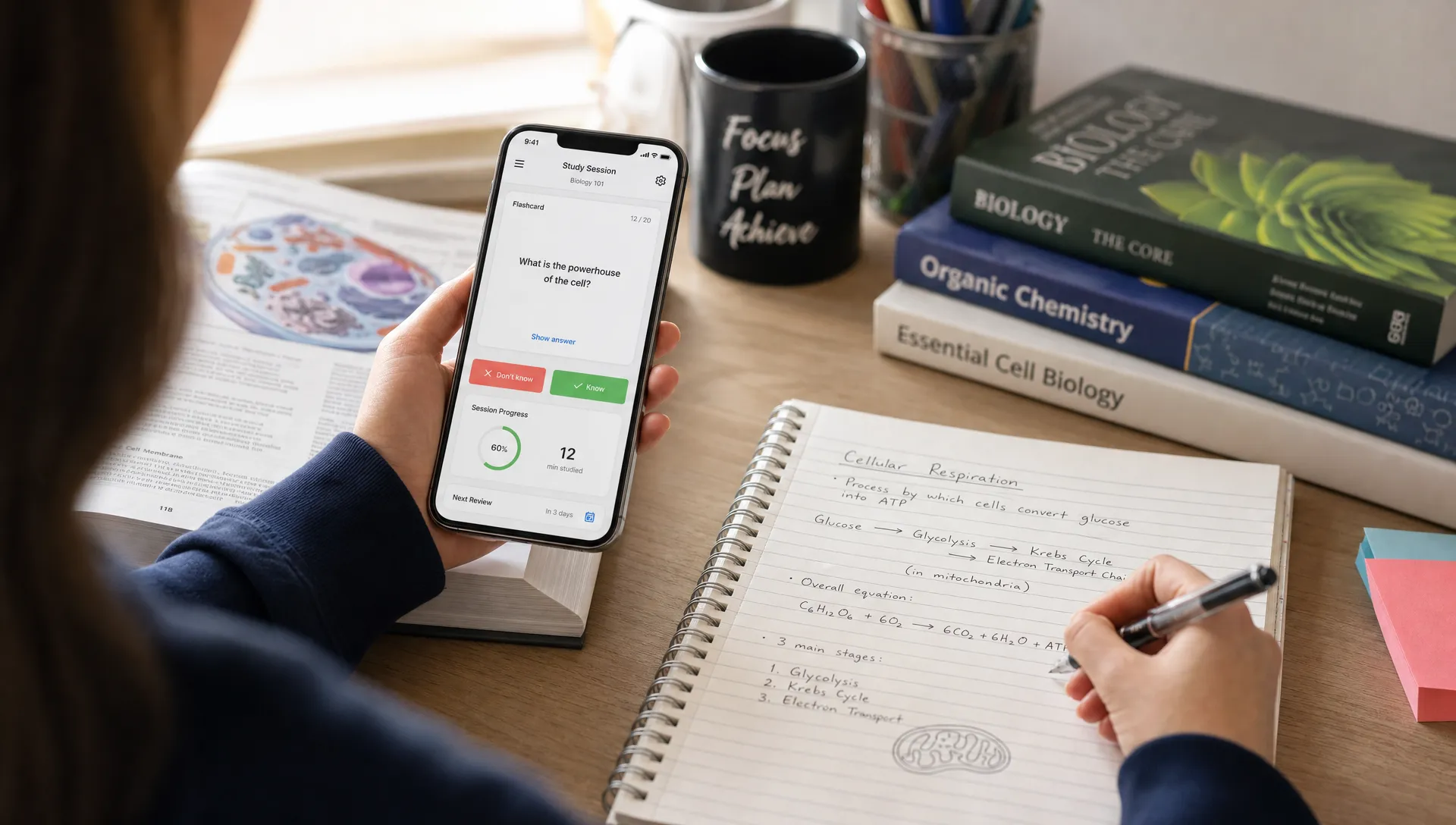
Even the smartest study app will fail if users do not come back. AI can support retention by making each session feel relevant, but it should be paired with thoughtful product design.
Good habit loops usually include a clear trigger, a fast action and a visible reward. In a study companion app, the trigger might be a reminder tied to an upcoming exam. The action might be a 10-question review. The reward might be a short progress summary that shows improvement on a weak topic.
AI can make this loop more personal. Instead of sending generic reminders, the app can say that the student has 12 minutes left to review the topic they struggled with yesterday. Instead of showing a generic streak, it can highlight that their accuracy improved from the last session.
This is related to broader companion app design. If you are exploring product retention, this breakdown of companion app features that keep users coming back covers onboarding, reminders, progress tracking and other features that are especially useful for MVPs.
Guardrails are essential for trust
AI can make a study companion app more effective, but only if students trust it. Education apps need careful guardrails because inaccurate explanations can mislead users and poor privacy decisions can create real risk.
Start with clear boundaries. If the app uses uploaded notes, tell users how their content is handled. If AI generates answers, make it clear that students should verify important material against class resources. If the app serves younger users, privacy and age-appropriate design deserve extra attention from day one.
A good product also reduces hallucinations through design. Rather than allowing completely open-ended answers for every task, the app can work from user-provided notes, approved content or clearly scoped topics. It can cite the source note section it used, ask clarifying questions when input is vague and avoid pretending to know what it cannot verify.
Strong guardrails do not make the app less useful. They make it more dependable.
AI should support different learning styles without overcomplicating the app
Students learn in different ways. Some prefer concise summaries. Others need examples, diagrams or step-by-step explanations. AI can help the app adapt the format of study content without requiring a huge content library.
A useful study companion app might let a student choose explain like I am new to this, quiz me, give me an example or summarize this into key points. The underlying content stays the same, but the interaction changes based on what the student needs in that moment.
The risk is feature overload. Too many modes can confuse users, especially in a first version. A better approach is to offer a small number of clear actions that map to real study behaviors: understand, practice, review and plan.
That structure keeps the product simple while still giving students flexibility.
Measuring whether the AI is actually working
Founders should measure effectiveness with more than downloads or chat messages sent. If the promise is better studying, the metrics should connect to learning behavior and outcomes.
| Metric | Why it matters | What to watch |
|---|---|---|
| Session completion rate | Shows whether study tasks feel manageable | Are users finishing planned sessions? |
| Quiz accuracy over time | Indicates learning progress | Are weak topics improving after feedback? |
| Return rate | Shows habit formation | Do students come back during the week? |
| Time to first useful action | Measures onboarding quality | How quickly does a new user start studying? |
| Missed session recovery | Tests planning value | Does the app help users continue after falling behind? |
| User-reported confidence | Captures perceived value | Do students feel more prepared? |
For an MVP, these metrics do not need a complex analytics system. Even basic event tracking, user interviews and review of common support questions can reveal whether the AI feature is solving the right problem.
Common mistakes to avoid when adding AI
The first mistake is building a generic chatbot and calling it a study companion. Students do not need another blank chat box. They need a guided workflow that helps them decide what to do next.
The second mistake is making AI the entire product. The app still needs solid mobile fundamentals: fast loading, clean navigation, clear onboarding, saved history and a smooth experience across iOS and Android.
The third mistake is skipping scope control. AI features can expand quickly. One feature leads to summaries, then quizzes, then planning, then voice, then collaboration. For a first version, choose the feature that creates the clearest improvement in the study process and build around that.
The fourth mistake is ignoring content quality. If the app generates practice material from poor input, the output will suffer. Help users provide better inputs with templates, examples and prompts inside the product.
A practical MVP path for founders
If you are a non-technical founder building a study companion app, start with one user segment and one learning problem. Avoid building for all students across all subjects. A focused product is easier to validate and easier to improve.
A practical MVP could include onboarding, note input, AI-generated practice questions, answer feedback and a simple study plan. That is enough to test whether students find the workflow valuable.
After launch, user behavior should guide the roadmap. If students love the generated quizzes but ignore the planner, improve the quiz loop first. If they create plans but do not return, focus on reminders and session design. If they ask for better explanations, improve feedback quality before adding new modes.
This is also where choosing the right developer matters. You want someone who can think beyond code and help translate the learning problem into a usable mobile product.
Build a focused AI study app that students actually use
AI can make a study companion app more effective when it is tied to real learning behavior: planning, practice, feedback and consistency. The strongest products do not simply add AI. They use AI to remove friction from the student’s daily study routine.
If you are planning an AI-powered study companion MVP, I build cross-platform iOS and Android apps with a focus on clean code, strong user experience, and fast MVP delivery. A focused first version can help you validate the idea quickly, learn from real users, and build the right features next. You can see my work or book a consultation.